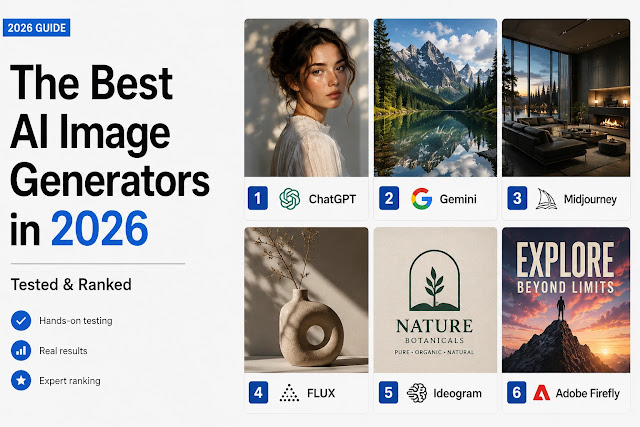
Compare the best AI image generators by quality, text, editing, pricing and usage limits, with the strengths and trade-offs in this updated comparison guide.
TL;DR
- Best overall: ChatGPT (GPT Image 2.5) – easiest to use, near the top of the blind-vote leaderboards for prompt adherence and text, and included in every ChatGPT plan
- Best artistic quality: Midjourney (V8.2) – still the one to beat for stylized, cinematic visuals, even though it now trails the leaders on technical benchmarks
- Best free option: Nano Banana in Google’s Gemini app – about 20 free images a day. Ideogram is the free pick when you need readable text in images
- Best for commercial work: Adobe Firefly – its own models are trained on licensed content and deeply integrated with Creative Cloud
The best AI image generator in 2026 isn’t a single obvious answer – it depends entirely on what you’re making, who you are and what you’re willing to pay. This breakdown compares eight of the most talked-about tools on output quality, prompt adherence, speed and value. It draws on each vendor’s official documentation and pricing, blind-vote leaderboards such as Artificial Analysis and LLM Stats, and independent reviews, and it says so whenever a number comes from only one place.

Here’s the full breakdown.
Reporting note: This comparison is compiled by the AI Tech Safar editorial team from official pricing pages, product documentation, blind-vote leaderboards and independent reviews, with prices and limits checked in early October 2026. Plans and credit systems change often, so verify current terms directly before subscribing.
Imran Khan Pathan, Editor: Three of these I actually use. ChatGPT’s image generation is my daily driver – every thumbnail on this blog is made with it. I run Canva Pro too, mostly for its AI background remover and background-extend tools, plus its ready-made templates – some of them are genuinely excellent starting points when I don’t want to design from scratch. I used Ideogram a fair bit earlier on; it’s usable in small doses, but the output quality leans heavily on how precise your prompt is – vague prompts get mediocre results, but a well-written one can genuinely surprise you.
Last updated: October 7, 2026
What changed since the earlier version
- ChatGPT: GPT-4o image generation has been replaced by GPT Image 2 (April) and GPT Image 2.5 (September 8).
- Nano Banana: it’s Google’s image model family inside Gemini, with a free tier, not a standalone service with its own plans.
- New versions: Midjourney V8.2, Ideogram 4.0, FLUX.2, Recraft V4.1 and Firefly Image 5.
- Corrected numbers: Ideogram’s free tier is 10 slow credits a week, FLUX API prices run $0.014 to $0.07 per image, and Canva and Firefly plan details were refreshed.
How This Comparison Was Built
We judged each tool against the kind of jobs that come up constantly in real work: a photorealistic portrait, a stylized fantasy landscape, a logo with readable text and a product mockup. The criteria were:
- Output quality – sharpness, coherence, detail
- Prompt adherence – does it actually do what you asked?
- Speed – time from prompt to image
- Ease of use – how much friction to get a good result
- Value – what you get at each price tier
We also checked each tool’s free-plan limits, commercial licensing terms and whether the interface would frustrate a non-designer. For the three tools Imran uses daily or has tried, the notes include first-hand experience. For the rest we lean on published test results and blind-vote data, and we mark it when we do. The star ratings are editorial judgments, not benchmark scores.
A word on rankings: the leaderboards don’t agree. LLM Stats’ blind-vote arena, updated this week, puts GPT Image 2 first with Grok Imagine and Microsoft’s MAI-Image behind it, while other trackers rank Nano Banana Pro first for editing and 4K output, and Midjourney still wins most blind tests of pure aesthetics. That’s why this list ranks by job and not by a single score.
The Best AI Image Generators at a Glance
| Tool | Best For | Free Plan | Starting Price | Editorial Rating |
|---|---|---|---|---|
| ChatGPT (GPT Image 2.5) | Overall / general use | ✅ Limited (about 2-3 a day, community-reported) | $20/mo (Plus); $8/mo (Go) | ⭐⭐⭐⭐⭐ |
| Midjourney (V8.2) | Artistic quality | ❌ No | $10/mo | ⭐⭐⭐⭐⭐ |
| Adobe Firefly | Commercial use | ✅ 25 credits/mo, watermarked | $9.99/mo | ⭐⭐⭐⭐ |
| Canva AI | Non-designers | ✅ Yes | $15/mo or $120/yr (Pro) | ⭐⭐⭐½ |
| Ideogram (4.0) | Text in images | ✅ 10 slow credits/week | $15/mo billed annually ($20 monthly) | ⭐⭐⭐⭐ |
| FLUX (FLUX.2) | Open weights / API | ✅ Some open weights | From $0.014/image (API) | ⭐⭐⭐⭐½ |
| Recraft (V4.1) | Designers & vectors | ✅ About 50 daily credits | $10/mo billed annually ($12 monthly) | ⭐⭐⭐⭐ |
| Nano Banana (Google Gemini) | Free use, editing, 4K | ✅ About 20 images a day | From $7.99/mo (Google AI Plus) | ⭐⭐⭐⭐⭐ |
Best AI Image Generators – Detailed Reviews
ChatGPT (GPT Image 2.5) – Best Overall
What it is: OpenAI’s image generator built into ChatGPT. It began as GPT-4o’s native image generation in March 2025 (not early 2024, as an earlier version of this article said) and has been rebuilt twice since: GPT Image 2 in April 2026, the first reasoning-based version, and GPT Image 2.5 on September 8. You describe what you want, or paste a reference image, and it generates, edits and iterates in the same chat window. The 2.5 update added a Sketch tool that turns a rough drawing into a guide, image templates, comment-based edits where you click an area and say what to change, and shareable prompts. OpenAI says generation is up to 50% faster than before.
Best use case: Anyone who wants great results fast, without learning a new tool. Especially strong for product mockups, social media visuals and illustrated concepts.
Pros:
- Strong prompt understanding and text rendering – GPT Image 2 and 2.5 sit at or near the top of blind-vote leaderboards from Artificial Analysis and LLM Stats
- Edit and iterate in natural language (“make the background darker,” “add a coffee cup to the left”), or point at the part you want changed
- No separate app needed – it’s included on every ChatGPT plan
- Handles complex multi-element scenes with fewer of the usual AI artifacts
Cons:
- Free-plan caps are small and OpenAI hasn’t published the numbers; community reports say about 2-3 images a day
- Less stylistically distinctive than Midjourney – outputs lean “clean” rather than “artistic” and can look recognizably GPT
- Not ideal for vector or logo work
Pricing: Free (limited); Go at $8/month (about ten times the free limits, with ads); Plus at $20/month for higher limits; Pro tiers at $100, $200 and $500/month. API access is available for developers.
Verdict: If you only use one tool, make it this one. The mix of natural-language editing and raw quality makes it the best AI model for image generation for most people’s day-to-day needs.
Midjourney – Best for Artistic Quality
What it is: Midjourney remains the benchmark for visually distinctive AI output. It runs in a web app at midjourney.com (Discord is optional now), and its current default model is V8.2, which replaced V8.1 in late July. The images have a polish no other tool has fully matched: rich textures, cinematic lighting and painterly depth.
Best use case: Creative professionals, concept artists, marketing teams that need hero visuals, and anyone for whom “looks incredible” is the main goal.
Pros:
- Still the favorite in blind tests of pure aesthetics
- Huge community and style library, so you can reference specific looks
- Strong aspect-ratio and variation controls
- Flat, predictable pricing – four tiers that haven’t changed since launch
Cons:
- No free plan or free trial – you pay from day one
- Prompt language has its own learning curve
- Weaker on text-heavy images and on literal product shots than ChatGPT or Ideogram
Pricing: Basic $10/mo, Standard $30/mo, Pro $60/mo, Mega $120/mo. Annual billing saves 20%.
Verdict: The best AI-generated images for creative and artistic work. If you want striking visuals and you’re willing to invest a little time in learning the prompting style, Midjourney is worth the money.
Adobe Firefly – Best for Commercial Use
What it is: Adobe’s generative AI, built into Creative Cloud apps (Photoshop, Illustrator, Express) and available as a standalone web app. Adobe’s own models, now Firefly Image 5, are trained on licensed content, which is why Adobe calls their output commercially safe. That promise is the main reason to choose it.
Best use case: Marketing teams, agencies and designers who need to use AI images in client work, ads or published materials without legal exposure.
Pros:
- Output from Adobe’s own models is built for commercial use, with Adobe’s licensing behind it
- Deep Photoshop integration (Generative Fill is a real time-saver)
- Unlimited standard image generation on paid plans, with credits reserved for video and premium models
- Lets you pick third-party models, including Nano Banana, GPT Image and FLUX, from inside the same app
Cons:
- Standalone outputs can look slightly “stock photo” – less distinctive than Midjourney
- Partner models use extra credits, and the commercial-safety promise doesn’t extend to them
- The free tier is thin: 25 credits a month and watermarked output
Pricing: Free plan available; Standard $9.99/mo (2,000 credits), Pro $19.99/mo (4,000 credits, with Photoshop on web and mobile), Pro Plus $49.99/mo (10,000 credits) and Premium $199.99/mo (50,000 credits). Creative Cloud bundles also include generative credits.
Verdict: The safest choice for professional commercial work. If you’re already in the Adobe ecosystem, this is a no-brainer add-on.
Canva AI – Best for Non-Designers
What it is: Canva’s AI image tools, Magic Media and Dream Lab, let you generate images directly inside Canva’s design editor. Dream Lab is built on the Phoenix model from Leonardo.Ai, which Canva owns. It’s not the most powerful generator on this list, but it’s the most frictionless.
Best use case: Small business owners, social media managers, educators and anyone who needs to go from “I need an image” to “finished post” in under five minutes.
Pros:
- No learning curve – generate and drop straight into a design
- Solid free tier with monthly AI uses
- Works alongside all of Canva’s templates and brand kits – the ready-made templates are a genuinely strong starting point when you don’t want to design from scratch
- Good enough quality for most social and marketing use cases
- Background remover and background-extend tools are reliable, practical daily-use features beyond just image generation
Cons:
- Output quality lags behind dedicated generators
- Limited control over fine details and style
- The free plan allows roughly 50 Magic Media generations a month
Pricing: Free plan with limited AI uses; Canva Pro at $15/month or $120/year (about $10 a month). Canva now meters AI in “standard,” “premium” and “ultra” uses, with Pro reported at 2,000 standard, 200 premium or 20 ultra a month, and an AI add-on for more. Canva has changed this system more than once, so check your plan page.
Verdict: The best AI image generator for people who don’t want to think about AI. If your goal is finished content, not just images, Canva wins on workflow.
Ideogram – Best for Text in Images
What it is: Ideogram went after one of AI image generation’s longest-standing problems: readable, accurate text inside images. Need a poster with a legible headline, a mug with a slogan or a logo concept with actual words? Independent reviews put Ideogram near the top on this specific job, with one test reporting about 90-95% legible accuracy on short phrases. The current model is Ideogram 4.0.
Best use case: Logos, social media graphics, product labels, posters and any image where text needs to be part of the visual.
Pros:
- Best-in-class text rendering – words look right far more often than not
- Strong prompt adherence across styles
- A free tier to test it before paying
- Clean, simple web interface
Cons:
- Less versatile than ChatGPT or Midjourney for complex scenes
- The free tier runs through the slow queue; paid plans are needed for priority generation
- Stylistic range is narrower than Midjourney
- Output is highly prompt-sensitive – vague prompts give mediocre results, while a precise one can surprise you in a good way
Pricing: Free (10 slow credits a week); Plus at $15/mo billed annually or $20 monthly (1,000 priority credits, unlimited slow credits, private generation); Pro at $42/mo billed annually or $60 monthly (3,500 priority credits); Team at $20 per user.
Verdict: The single best generator for anything involving text. If you make graphics with words in them regularly, Ideogram is essential.
FLUX – Best Open-Weights and API Option
What it is: FLUX comes from Black Forest Labs, the German company founded in 2024 by the researchers who built Stable Diffusion at Stability AI. The FLUX.2 family, released in November 2025, spans tiny and fast models (klein), a production model (pro), a typography-focused one (flex) and a top tier (max). FLUX 3 arrived on July 23, but as of late August only its video side was callable, so FLUX.2 is still the image workhorse. You can use the models through an API, through third-party platforms, or, for some of them, run the weights yourself.
Best use case: Developers, researchers, power users who want maximum control, and anyone generating at volume without a subscription ceiling.
Pros:
- Open weights exist for some models, which makes high-volume local generation cheap
- Exceptional photorealism on the higher-end models, with FLUX.2 pro still a leading pick for photo-first API work
- API pricing is competitive, from about $0.014 an image
- Fast: klein generates in under a second on a consumer GPU
Cons:
- Technical setup is needed for local use – it isn’t beginner-friendly
- Licences differ by model, so “open” doesn’t always mean free for commercial use
- No polished consumer interface; you usually reach it through third-party platforms
Pricing: Hosted API from $0.014 to $0.07 per image, scaling with resolution and model tier. Some open-weight models are free to self-host, apart from compute costs.
Verdict: The best option for technical users who want control and scale. If you’re building a product or running high-volume generation, FLUX is the architecture to know.
Recraft – Best for Designers & Vectors
What it is: Recraft is built for professional designers. It generates raster images, but its headline feature is native SVG vector output, real editable paths and layers rather than a traced bitmap. Its current models are V4 (February 17) and V4.1 (May 14). For icon sets, brand assets and UI illustrations, this vector-first approach sets it apart from raster-only competitors. Adobe’s Illustrator also offers Firefly-based vector generation, but Recraft is the one built around it.
Best use case: Graphic designers, brand designers, UI/UX teams and anyone who needs scalable vector assets from AI generation.
Pros:
- Native SVG output is its calling card
- Strong style consistency – you can lock a visual style and generate a whole set
- Commercial rights and ownership on paid plans
- Clean, professional interface
Cons:
- Less versatile for photorealistic or painterly work
- The credits system can feel limiting on lower tiers, and vector output costs more credits
- Smaller community and fewer style references than Midjourney
Pricing: Free plan with about 50 daily credits; Basic at $10/mo billed annually or $12 monthly (1,000 credits); Pro from $16/mo billed annually or $20 monthly (2,000+ credits). API access to V4.1 is $0.035 per image.
Verdict: If you’re a designer who needs AI-generated assets that actually work in professional workflows, especially vectors, Recraft is the best image generator for your use case.
Nano Banana (Google Gemini) – Best Free Option
What it is: Nano Banana is the nickname for Google’s image models inside Gemini, not a standalone service. There are three: the original Nano Banana (Gemini 2.5 Flash Image), Nano Banana Pro (Gemini 3 Pro Image), and Nano Banana 2 (Gemini 3.1 Flash Image), which became the Gemini app’s default on February 26, 2026. Pro is the heavier model, with native 4K output and strong editing, and it leads several blind-vote editing arenas. Look-alike websites sell their own “Nano Banana” plans, with prices like $19.90 a month. They have nothing to do with Google, and the official route is the Gemini app, AI Studio or the Gemini API.
Best use case: Casual users, students and anyone who wants strong results at no cost, plus anyone who edits photos by instruction or needs high-resolution output.
Pros:
- Free in the Gemini app, with no credit card required
- Fast generation, which is good for quick iteration
- Strong editing and consistency across multi-step changes
- Pro handles up to 4K output
Cons:
- Free use is capped at roughly 20 images a day, and Pro-level generation is limited to paid plans
- Text rendering still trails ChatGPT and Ideogram in some tests
- Limits change often – Google has trimmed free quotas before
Pricing: Free in the Gemini app (about 20 images a day with Nano Banana 2, per Google’s help page); Google AI Plus from $7.99/month (about 50 a day); Google AI Pro at $19.99/month (about 100 a day, plus Pro “redo”). API prices run about $0.045 to $0.151 per image for Nano Banana 2 and $0.134 to $0.24 for Nano Banana Pro, depending on resolution.
Verdict: The best free AI image generator for most people. It isn’t the best at every task, but for zero cost the results are well above “decent.”
Free vs Paid AI Image Generators – Which Should You Choose?
The honest answer: start free, upgrade when you hit a wall. Every tool on this list except Midjourney offers some form of free access, though the amounts vary a lot:
| Tool | What the free plan gives you |
|---|---|
| ChatGPT | The same GPT Image 2.5 model, with a small daily cap OpenAI hasn’t published (community reports say 2-3 images a day) |
| Nano Banana (Gemini) | Up to 20 images a day with Nano Banana 2, per Google’s help page; Nano Banana Pro only through limited “redo” use |
| Canva AI | Roughly 50 Magic Media generations a month inside the free design editor |
| Recraft | About 50 daily credits, with public images and no commercial rights |
| Ideogram | 10 slow-queue credits a week, with public images |
| Adobe Firefly | 25 generative credits a month with watermarked output |
| FLUX | No hosted free plan; certain open-weight models are free to run yourself |
| Midjourney | None – there is no free plan or trial |
Free plans are enough if you:
- Generate a handful of images a week
- Don’t need commercial licensing
- Are exploring or learning
- Can tolerate slower generation or small daily caps
Pay for a plan when:
- You need commercial rights for client or business use
- You’re generating images daily and hitting limits
- You need private generation
- Output quality on the free tier isn’t cutting it for your use case
The sweet spot for most people is a $8-$20/month plan – Google AI Plus, Midjourney Basic, Adobe Firefly Standard, Ideogram Plus or Recraft Basic. That range gets you higher limits and, on most of them, commercial rights, without breaking the budget. If you already pay for ChatGPT Plus at $20, you already have one of the best generators included.
How to Choose the Best AI Image Generator for Your Needs
Stop trying to find the single “best” tool. The right answer depends on your situation. Use this quick decision guide:
→ I want the easiest, most capable all-rounder: Pick ChatGPT (GPT Image 2.5). It has no learning curve and produces excellent results.
→ I need the most beautiful, artistic output: Pick Midjourney. Accept that there’s a small learning curve. It’s worth it.
→ I need images for commercial or client work: Pick Adobe Firefly and stick to its native models. The licensing is clean and the Creative Cloud integration is unmatched.
→ I’m not a designer and just need finished content: Pick Canva AI. Generate and design in the same tool.
→ I need text to actually be readable inside images: Pick Ideogram, with ChatGPT as the close second.
→ I’m a developer or power user who wants maximum control: Pick FLUX. Self-host for free where the licence allows, or use the API for pay-per-image flexibility.
→ I’m a professional designer who needs vector output: Pick Recraft. The SVG generation alone makes it unique.
→ I want the best free images and photo edits: Pick Nano Banana in the Gemini app, and use ChatGPT’s free tier as a second option.
The best AI images come from matching the right tool to the right job, not from picking the most hyped name.
FAQ
Do free plans make my images public?
On some of them, yes. Ideogram’s free plan posts images to its public gallery, and Recraft’s free plan makes them public too, with Recraft owning the output and no commercial licence. Midjourney has no free plan, but even on the paid Basic and Standard plans images show on its Explore page by default; hiding them (Stealth mode) starts at the $60 Pro plan. For any other tool, check its privacy settings before uploading anything unreleased.
Does Google put a watermark on Nano Banana images?
Every image carries an invisible SynthID mark. According to Fello’s breakdown of Google’s plans, free, Google AI Plus and Google AI Pro images also get a visible mark, and the visible one disappears only on the Ultra tier. AI Studio and the paid API output SynthID only, so developers using the API don’t get the visible mark.
Can I run FLUX on my own computer and use the results commercially?
It depends on the model. FLUX.2 klein 4B weights are Apache 2.0, so local commercial use is fine, and it needs roughly 13 GB of GPU memory. The klein 9B and FLUX.2 dev weights are non-commercial, and commercial self-hosting needs a licence from Black Forest Labs, reportedly starting at $999 a month for 100,000 images. Images made through BFL’s paid API include commercial rights.
What are Flare and Sunburst in ChatGPT’s image API?
They’re the two API models behind GPT Image 2.5. Flare is tuned for speed, with up to 50% lower latency than GPT Image 2, and Sunburst is built for precise editing. Token pricing is unchanged from GPT Image 2 at $8 per million image-input tokens, $30 per million image-output tokens and $5 per million text-input tokens, and a single edit can take up to 16 reference images.
Is Midjourney’s $10 Basic plan enough, and who has to buy Pro?
Basic gives about 200 minutes of fast GPU time and no Relax mode, so once the time runs out you wait or pay $4 an hour for more. Standard at $30 adds unlimited Relax images. Companies with more than $1 million in annual revenue must be on Pro or Mega, and annual billing takes 20% off ($8, $24, $48 and $96 a month). There’s no free trial.
Are all the models inside Adobe Firefly commercially safe?
No. Adobe’s commercial-safety promise covers its own Firefly models, such as Firefly Image 5. Partner models you can pick inside Firefly, including Nano Banana, GPT Image and FLUX, use extra credits and come without Adobe’s guarantee, and Adobe says the creator must judge whether they suit a project. Enterprise indemnity is narrower still and limited to certain generally available Google and OpenAI models.
What’s the cheapest way to make hundreds of images?
Through APIs, FLUX.2 klein 4B starts at $0.014 an image and Recraft V4.1 costs $0.035. Nano Banana 2 runs $0.045 to $0.151 depending on resolution, and Ideogram’s API goes from $0.025 to $0.10. For a flat fee, Midjourney Standard at $30 gives unlimited Relax images, but jobs queue for anywhere from none to about 30 minutes. If you have a capable GPU, klein 4B locally costs nothing per image.
Related Reading on AI Tech Safar
- Claude vs ChatGPT in 2026: Which AI Is Actually Better?
- How to Use ChatGPT Work (Formerly Agent Mode)
- Ox Alpha AI Model: The Mystery Stealth Model Everyone’s Talking About
Useful Sources
- Midjourney Plans & Pricing – Official Docs
- Adobe Firefly Plans – Adobe Official
- Adobe – Partner models in Adobe products
- Ideogram Pricing – Official
- Recraft Pricing & Paid Plans – Official Docs
- Black Forest Labs – FLUX API Pricing
- Canva Pricing – Official
- Wikipedia – GPT Image
- Apidog – What Is ChatGPT Images 2.5?
- LLM Stats – Best AI for Image Generation (blind-vote arena)
- Fello AI – Is Nano Banana Free? Limits & How to Use It Free
- AI Free API – Is Nano Banana 2 Free? Gemini, AI Studio and API Answer
- DEV Community – Midjourney Pricing Explained (2026)
- Krea – Adobe Firefly Price 2026
- Invideo – Recraft V4 and V4.1: The AI Design Model That Outputs Real SVG
For the broader context and related reading, explore our AI Tools 2026: Free Options, Categories and Companies.