Overview: AI Image Generators Compared
Compare AI image generators using the same task, reference material and output requirements. This page focuses on how to evaluate a tool for your workflow. For a product-by-product shortlist, use our AI image generator buying guide. Model versions, plans and usage limits can change.
A repeatable four-prompt comparison
The prompts below are suggested test cases, not newly measured results. Use the same aspect ratio and references where supported, record the model and plan, and keep unsuccessful outputs as well as successful ones.
- Product: a plain white ceramic mug on a pale grey studio background, soft side lighting, no lettering.
- Text: a simple square poster with exactly the words AI TECH SAFAR, a dark background and a lime accent.
- Composition: a red notebook to the left of a blue cup, with a yellow pencil between them, viewed from above.
- Edit: use your own reference image and change only the background to pale blue; keep the subject, crop and proportions.
Score each usable result from 1 to 5 for instruction-following, visual defects, required text and editing consistency. Record generation time, retries and credits separately. A low-cost generation that needs several retries may be a poor fit for your job. Check the provider’s current usage and commercial terms before using an output for a client.
How to compare AI image generators for your own work
TL;DR – Top Picks at a Glance
- 🏆 Best overall: GPT Image 2 – sharpest text rendering, best editing, strongest all-round output
- 🆓 Best free AI image generator 2026: Ideogram 2.0 – generous free tier, excellent typography, no card required
- 📷 Best for realism: Midjourney v7 – the most photorealistic and stylistically consistent output you can get from a subscription tool
Reviewed by Imran Khan Pathan, Editor at AI Tech Safar. I make every thumbnail on this blog with one of these tools, so this isn’t written from spec sheets – it’s written from whatever broke, worked, or surprised me while actually using them this month. The same four prompts went into every generator on default settings, and every price below was checked against the tool’s own pricing page before publishing.
Last updated: September 2026

The AI image generation space moved fast in 2026. Faster than most people expected. If you haven’t revisited your go-to tool since last year, you’re probably leaving quality – and money – on the table.
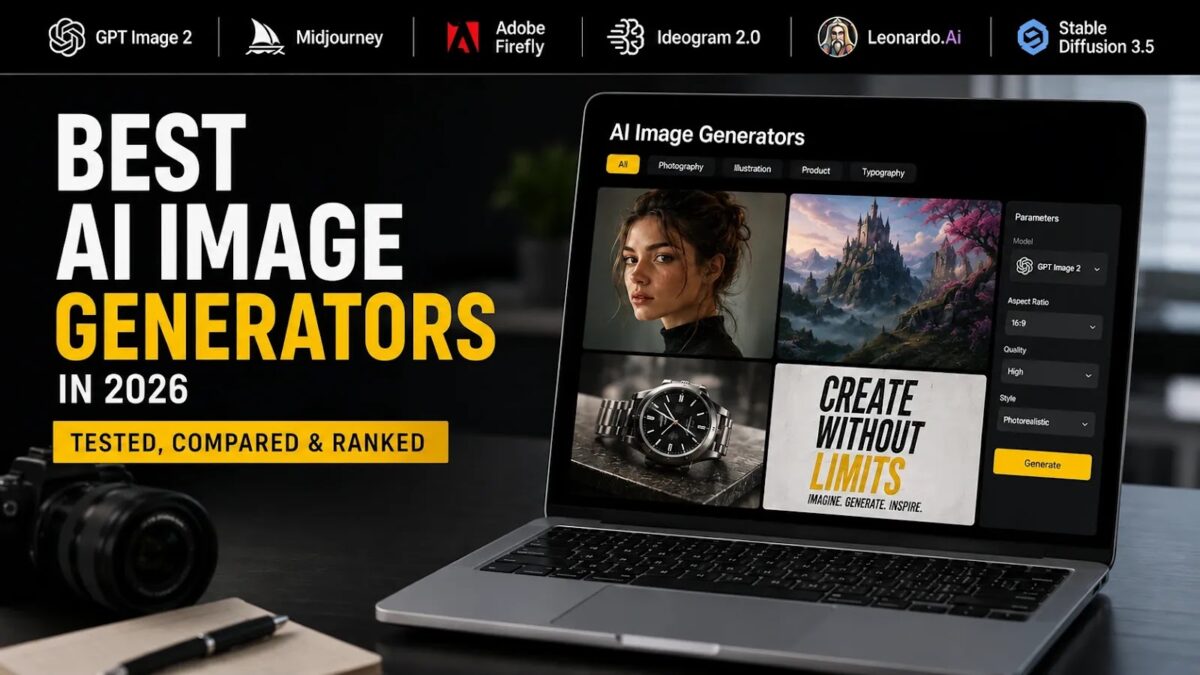
We ran the same set of prompts through every major generator on this list: a photorealistic portrait, a typographic poster, a product shot, and an abstract scene. Here’s what the best AI image generators 2026 actually look like when you put them side by side.
Why AI Image Generation Changed in 2026
The GPT Image 2 era changed the baseline. OpenAI’s model didn’t just improve on DALL-E 3 – it reset what “good” looks like for text rendering, surgical editing, and multi-reference consistency. Suddenly, garbled text in generated images became a solved problem, not a known limitation.
At the same time, new realism benchmarks pushed the whole field upward. Midjourney v7 hit native 2048×2048 output. Adobe Firefly 3 doubled down on commercially safe, legally clean generation. Stable Diffusion 3.5 gave developers and power users a genuinely capable open-weight model they could run locally.
The result: the gap between “best” and “good enough” narrowed, but the gap between “good enough” and “outdated” widened. Choosing the wrong tool now has a real cost.
How We Tested & What We Looked For
We evaluated each tool across five criteria:
- Output quality & realism – how close to photographic or professional-grade illustration
- Prompt accuracy – does it actually generate what you described, including text?
- Speed – time from prompt to usable image
- Free tier – what you get without paying, and whether it’s genuinely useful
- Commercial rights – can you publish, sell, or use the output in client work?
Every tool was tested with identical prompts on its default settings, no cherry-picking.
The 7 Best AI Image Generators in 2026
🏆 1. GPT Image 2 (OpenAI)
Best for: All-round quality, text-in-image, editing workflows
GPT Image 2 is the clearest upgrade OpenAI has shipped in the image space. It handles readable typography inside generated images – something DALL-E 3 consistently fumbled – and its mask-based editing is surgical enough to change a single element without reinterpreting the whole scene.
Multi-reference support is the other big win. Feed it two or three reference images and it holds composition and character consistency across outputs. For product mockups, storyboards, or branded content, that’s a game-changer.
✓ Pros
- Best text rendering of any model tested
- Strong photorealism, especially faces and skin tones
- Surgical editing via masks
- Available in ChatGPT and via API
✗ Cons
- API pricing is usage-based and can add up fast at scale (~$0.006–$0.21/image)
- Less stylistically expressive than Midjourney for artistic work
Pricing: Free access via ChatGPT (with limits); ChatGPT Plus at $20/month; API priced per token/image
⭐ Verdict: The most accurate AI image generator for professional workflows. If you need text in your images or precise editing, nothing else comes close.
🥇 2. Midjourney v7
Best for: Artistic output, brand visuals, stylized imagery
Midjourney v7 is still the king of aesthetics. Native 2048×2048 output, a coherent visual language that’s hard to replicate elsewhere, and stylistic consistency that holds across a whole project. If you’re building a brand mood board, a campaign, or editorial illustrations, v7 is the benchmark.
It’s not the most accurate AI image generator for literal prompts – Midjourney interprets rather than executes – but for creative work where the output needs to look premium, nothing beats it.
✓ Pros
- Highest aesthetic ceiling of any tool on this list
- 2K native output
- Unlimited Relax mode on Standard plan and above
- All paid plans include commercial rights
✗ Cons
- No free tier (discontinued)
- Prompt interpretation can drift from literal intent
- Requires a subscription even for light use
- Companies over $1M annual revenue need Pro or Mega for commercial use
Pricing: Basic $10/mo · Standard $30/mo · Pro $60/mo · Mega $120/mo (~20% off annually)
⭐ Verdict: The best AI image tool 2026 for creative and brand work. Worth every dollar if aesthetics are your priority.
🎨 3. Adobe Firefly 3
Best for: Professional designers, Creative Cloud users, legally safe commercial output
Firefly 3’s biggest differentiator isn’t image quality – it’s legal clarity. Every image is trained on licensed Adobe Stock content, which means you get a clean commercial license with every output. For agencies, brands, and anyone working with clients, that matters enormously.
The integration with Photoshop, Illustrator, and InDesign is seamless. Generate, edit, and refine without leaving your existing workflow. Output quality is strong – not Midjourney-level artistic, but professional and consistent.
✓ Pros
- Commercially safe by design (licensed training data)
- Deep Creative Cloud integration
- Strong for product and marketing imagery
- Generous free tier
✗ Cons
- Less creative range than Midjourney
- Subscription costs stack up if you’re not already in the Adobe ecosystem
- Generative credits can run out on lower plans
Pricing: Free · Standard $9.99/mo · Pro $19.99/mo · Pro Plus $49.99/mo · Premium $199.99/mo
⭐ Verdict: The safest choice for commercial work. If you’re already paying for Creative Cloud, it’s a no-brainer.
🧩 4. Stable Diffusion 3.5
Best for: Developers, power users, self-hosted workflows, full control
Stable Diffusion 3.5 is the open-source anchor of this list. Download the weights, run it on your own hardware, customize to your heart’s content. The Community License covers commercial use for individuals and organizations under $1M in annual revenue – above that, you need an Enterprise agreement with Stability AI.
SD 3.5 comes in Large, Large Turbo, and Medium variants. Large Turbo is the sweet spot for most self-hosters: fast enough for iteration, quality high enough for production.
✓ Pros
- Fully self-hostable – no per-image API costs
- Strong customization via LoRAs and fine-tuning
- Free for most commercial use cases
- Active community and ecosystem (Civitai, ComfyUI, etc.)
✗ Cons
- Requires technical setup – not plug-and-play
- Hardware costs are real (GPU needed for fast inference)
- No managed free tier for casual users
Pricing: Free (self-hosted, Community License); Enterprise license for large organizations
⭐ Verdict: The best AI image generator for developers and anyone who wants full control without per-image costs.
🆓 5. Ideogram 2.0
Best for: Typography-heavy images, social media graphics, budget users
Ideogram built its reputation on one thing: text inside images that actually reads correctly. In 2026, Ideogram 2.0 has expanded well beyond that – the overall image quality is genuinely competitive – but text rendering remains its signature strength.
The free tier is the most useful on this list. 10 slow-queue credits per week, no credit card required, public generations. For someone testing the waters or doing light creative work, it’s a real free option, not a bait-and-switch.
✓ Pros
- Best-in-class typography for a consumer tool
- Genuinely useful free tier (10 credits/week, no card)
- Clean, fast web interface
- Competitive image quality across styles
✗ Cons
- Free tier images are public
- Slow queue on free plan
- No API free tier
Pricing: Free (10 slow credits/week) · Plus and Pro paid plans available via ideogram.ai/pricing
⭐ Verdict: The best free AI image generator in 2026 for anyone who needs readable text in their visuals.
⚡ 6. Canva AI (Magic Media / Dream Lab)
Best for: Non-designers, social media content, quick turnaround
Canva’s AI image generation – now branded as Dream Lab in some interfaces, Magic Media in others – isn’t trying to compete with Midjourney on quality. It’s competing on workflow speed. Generate an image and drop it straight into a social post, presentation, or ad template without switching apps.
For non-designers and content teams who live in Canva, it’s the most frictionless option on this list. The free plan includes limited AI credits; Pro unlocks a larger monthly allowance.
✓ Pros
- Seamless integration with Canva’s design tools
- No learning curve
- Includes Magic Edit, Magic Eraser, Background Remover
- Free tier available
✗ Cons
- Image quality lags behind dedicated generators
- Credit limits can be restrictive on free plan
- Not suitable for high-fidelity or artistic work
Pricing: Free (limited credits) · Pro ~$15–$18/mo · Teams ~$10–$20/user/mo
⭐ Verdict: The best AI image tool 2026 for content teams who prioritize speed and workflow over raw image quality.
🎮 7. Leonardo AI
Best for: Game assets, concept art, iterative creative workflows
Leonardo AI punches above its price point. The free tier gives 150 fast tokens daily – enough for real creative work – and the platform’s fine-tuning and model customization features are unusually deep for a consumer product. It’s particularly strong for game developers and concept artists who need consistent character or asset styles across many outputs.
The Artisan plan at $30/month unlocks 25,000 fast tokens and unlimited relaxed generation, making it one of the better value propositions in the AI image generator comparison 2026 landscape.
✓ Pros
- Generous free tier (150 daily fast tokens)
- Strong fine-tuning and custom model support
- Great for game assets and concept art
- Video generation on higher plans
✗ Cons
- UI can feel complex for new users
- Less polished than Midjourney for brand/marketing work
- Token system requires tracking
Pricing: Free (150 daily tokens) · Apprentice $12/mo · Artisan $30/mo · Maestro $60/mo
⭐ Verdict: The best value pick for creative professionals who need depth, customization, and a real free tier.
Side-by-Side Comparison Table
| Tool | Best For | Free Tier | Quality (1–5) | Price/mo |
|---|---|---|---|---|
| GPT Image 2 | All-round quality, text, editing | ✅ Limited (ChatGPT) | ⭐⭐⭐⭐⭐ | $20 (Plus) |
| Midjourney v7 | Artistic & brand visuals | ❌ None | ⭐⭐⭐⭐⭐ | From $10 |
| Adobe Firefly 3 | Commercial-safe design | ✅ Yes | ⭐⭐⭐⭐ | From $9.99 |
| Stable Diffusion 3.5 | Dev / self-hosted | ✅ Free (self-host) | ⭐⭐⭐⭐ | $0 (own hardware) |
| Ideogram 2.0 | Typography, budget users | ✅ 10 credits/week | ⭐⭐⭐⭐ | Free+ |
| Canva AI | Non-designers, content teams | ✅ Limited | ⭐⭐⭐ | From $15 |
| Leonardo AI | Game assets, concept art | ✅ 150 tokens/day | ⭐⭐⭐⭐ | From $12 |
Which AI Image Generator Should You Choose?
For social media content creators: Canva AI or Ideogram 2.0. Canva wins on workflow speed; Ideogram wins on image quality and typography. Both have usable free tiers.
For professional designers and agencies: Adobe Firefly 3 if legal safety is the priority. Midjourney v7 if aesthetic quality is the priority. Use both if budget allows – they serve different moments in the creative process.
For developers and coding projects: Stable Diffusion 3.5, full stop. Self-host it, integrate it via API, fine-tune it. No per-image costs, no platform lock-in.
For budget users who need real output: Leonardo AI’s free tier (150 daily tokens) is the most generous of any paid-quality tool. Ideogram 2.0 is the runner-up.
For anyone who needs text inside images: GPT Image 2 or Ideogram 2.0. Both handle typography reliably – GPT Image 2 at the high end, Ideogram at the accessible end.
For enterprise teams: GPT Image 2 via the OpenAI API, or Adobe Firefly 3 for Creative Cloud shops. Both offer the commercial clarity and scalability that enterprise workflows demand.
What’s Coming Next in AI Image Generation
The shift happening right now is from image generation as an endpoint to image generation as a building block. Static outputs are increasingly the first frame of a video clip, not the final deliverable.
Image-to-video is accelerating fast. Tools like Midjourney and Leonardo are already adding motion to still images. By late 2026, expect most major platforms to treat video generation as a core feature, not an add-on.
Real-time editing is replacing batch prompting. The next generation of interfaces updates visuals as you adjust prompts – no more generate-and-regenerate cycles. This is already visible in early builds from several labs.
4K output is becoming the baseline. What was a premium feature in 2025 is now standard on most paid plans.
Character consistency across images and video is the next hard problem being solved – and whoever cracks it cleanly will own the creator market.
The best AI image tools 2026 are already impressive. The ones coming in 2027 will make these look like drafts.
Frequently Asked Questions
What is the best free AI image generator in 2026?
Ideogram 2.0 is the strongest free option. It gives you 10 slow-queue credits per week with no credit card required, and the image quality – especially for text-heavy visuals – is genuinely competitive with paid tools. Leonardo AI is a close second with 150 fast tokens per day on its free plan.
Is Midjourney still the best AI image generator in 2026?
It depends on what you mean by “best.” For artistic quality and aesthetic output, Midjourney v7 is still the benchmark – nothing else produces the same visual polish. But for overall versatility, text rendering, and editing, GPT Image 2 has taken the top spot. Midjourney is the best for creative work; GPT Image 2 is the best all-rounder.
Can I use AI-generated images commercially?
Yes, on most paid plans – but the terms vary. Midjourney includes commercial rights on all paid tiers (Pro or Mega required for companies over $1M revenue). Adobe Firefly 3 is the safest choice legally, as it’s trained on licensed content. Stable Diffusion 3.5 allows commercial use under its Community License for organizations under $1M revenue. Always check the specific terms of the plan you’re on.
Which AI image generator is the most accurate?
GPT Image 2 is the most accurate AI image generator for literal prompt execution, especially when your prompt includes text, specific layouts, or detailed compositional requirements. Ideogram 2.0 is the most accurate for typography specifically. Midjourney is the least literal – it interprets prompts creatively rather than executing them precisely.
Is GPT Image 2 better than DALL-E 3?
Yes, significantly. GPT Image 2 outperforms DALL-E 3 on text rendering, editing precision, photorealism, and character consistency across generations. DALL-E 3 was the cheaper API option, but GPT Image 2 has effectively replaced it as OpenAI’s primary image model in ChatGPT. For most use cases, GPT Image 2 is the clear upgrade.
Related Reading on AI Tech Safar
- What Is Multimodal AI? The Complete Guide (Beginner to Expert)
- Grok AI vs ChatGPT: The Honest 2026 Comparison
Useful Sources
- OpenAI – GPT Image 2 & ChatGPT
- Midjourney – Plans & Pricing
- Adobe Firefly – Official Plans
- Stability AI – Stable Diffusion 3.5 Release
- Ideogram – Pricing
- Canva – Magic Media Help
- Leonardo AI – Pricing FAQ
For the broader context and related reading, explore our AI Tools 2026: Free Options, Categories and Companies.