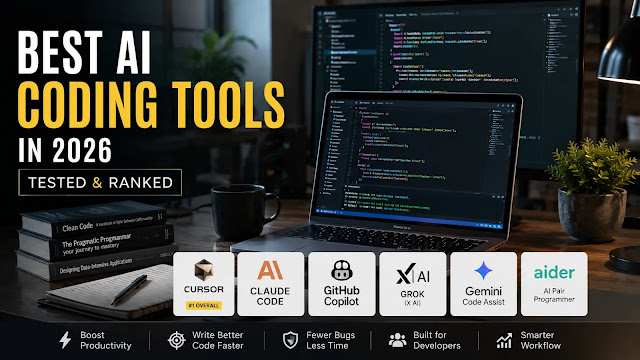
Compare the best AI coding tools by editor integration, agent workflows, pricing and review needs, with guidance for choosing a practical development setup.
The Only AI Coding Tools Guide You’ll Need in 2026
TL;DR
- Best overall: Cursor ($20/mo Pro) – the most complete AI-native IDE. It’s now owned by SpaceX, and its limits favor Grok, so check which models you actually use.
- Best for deep agentic tasks: Anthropic’s Claude Code ($20/mo Pro, $100-$200/mo Max). Anthropic reports 66.4% for Claude Opus 5.5 on Terminal-Bench 4.0, against 57.9% for GPT-6 Astra.
- Best for enterprise teams: GitHub Copilot ($10/mo Pro, $39/user/mo Enterprise). Billing is now usage-based, in AI credits.
- Best free open-source option: OpenCode. Aider, our previous pick, has stalled. Also new: Google stopped selling Gemini Code Assist on October 9 and points users to Antigravity.
Imran Khan Pathan, Editor: Claude Code is genuinely part of my daily workflow – it’s what I use for the coding side of every AI-powered app I run, including the tooling behind this blog. I haven’t run every tool on this list side by side on the same codebase, so where I’m speaking from direct use I’ve said so, and everywhere else this is built on pricing pages, changelogs, and cross-checked reporting rather than a claim to have tested all of them personally.
Reviewed by Imran Khan Pathan, Editor at AI Tech Safar. Our editorial team re-checked every price and plan on October 11, 2026 against vendor documentation and pricing as relayed by Fello AI (updated October 2), Google’s Gemini Code Assist notice, GitHub’s billing announcement, xAI’s pricing page, IDC’s analysis of the Cursor-OpenAI split and Morph’s open-source comparison. Ratings are editorial judgments, not benchmark scores. About our editorial approach and disclaimer.
Last updated: October 11, 2026. Prices in this market change monthly; confirm on the vendor’s page before you pay.
AI coding assistants are now a crowded market, and the question isn’t whether to use one. It’s which one actually moves the needle for your workflow. We went through the pricing pages, the changelogs and developer feedback so you don’t have to.
Here’s the straight answer to what is the best AI for coding right now, broken down by use case.

What changed since the earlier version
- Cursor: SpaceX closed its $60 billion acquisition on August 14. OpenAI ends Cursor’s model access on November 12, Auto is no longer free, and paid plans now split into two usage pools.
- Google: Gemini Code Assist can’t be bought as of October 9. Antigravity replaces it.
- GitHub Copilot: usage-based billing began June 1.
- Grok Build: it’s now on xAI’s free plan, with Grok 4.7 as the default model.
- New: OpenAI Codex, Antigravity and OpenCode join the ranking; Aider drops out as stalled.
What Makes an AI Coding Tool Actually Good?
Not every tool that slaps “AI” on a code editor deserves your money. The best coding AI model in any category has to clear five bars.
1. Speed and Responsiveness
Latency kills flow. A suggestion that arrives three seconds after you’ve typed the next line is useless. The best tools answer inline completions in under a second and keep agent loops tight enough that you aren’t watching a spinner for minutes.
2. Context Window and Codebase Awareness
A 4K-token window was fine in 2023. Now the leading models hold far more: Claude Opus 5.5 offers 1 million tokens, and OpenAI’s GPT-6 Astra and GPT-6.1 Sol reach about 1.05 million. A bigger window matters only if the tool navigates your repo intelligently, so look at how each one finds the right files.
3. Agentic Capability
This is the biggest dividing line of the year. A basic autocomplete tool suggests the next line. An agentic AI coding tool reads your repo, plans a multi-step solution, edits files, runs tests, checks the output and iterates from a single instruction. If your work involves real refactors and not just boilerplate, agentic capability is non-negotiable.
4. IDE Integration
Where does the tool live? Cursor replaces VS Code. GitHub Copilot slots into whatever editor you already use. Claude Code started in the terminal and now also has VS Code and JetBrains extensions. Pick the tool that fits your environment, because the best AI for coding is the one you’ll use every day.
5. Predictable Pricing
This is the new bar. In 2026, nearly every vendor moved from flat subscriptions to usage pools, credits or weekly allowances. Two $20 plans can behave very differently once an agent runs for an hour. Read how each tool meters usage before you commit.
The Best AI Coding Tools in 2026 – Ranked
Here’s the full comparison at a glance. We dig into each tool below.
| Tool | Best For | Agentic? | Free Plan? | Our Rating |
|---|---|---|---|---|
| Cursor | AI-native IDE, multi-file refactors | ✅ Full agent mode | ✅ Hobby tier | ⭐ 9.0/10 |
| Claude Code | Complex agentic tasks, terminal workflows | ✅ Terminal agent | ❌ (Pro from $20/mo) | ⭐ 9.0/10 |
| OpenAI Codex | Agentic coding inside a ChatGPT plan | ✅ CLI, IDE and cloud | ⚠️ Limited (Luna on Free and Go) | ⭐ 8.8/10 |
| GitHub Copilot | Enterprise teams, inline autocomplete | ✅ Agent mode | ✅ Limited free tier | ⭐ 8.5/10 |
| Google Antigravity | Google ecosystem; replaces Gemini Code Assist | ✅ Agent-first IDE and CLI | ✅ Free tier (weekly quota) | ⭐ 8.0/10 |
| OpenCode | Free open-source, bring your own model | ✅ Agent | ✅ Free (you pay for the API) | ⭐ 8.0/10 |
| Grok Build | Grok 4.7 and live web context | ✅ Terminal agent | ✅ Free plan with limits | ⭐ 7.8/10 |
Two quick notes on the ranking. Cursor and Claude Code tie because they win different jobs, and Codex is the newest serious contender. Aider dropped off the table because it has largely stopped updating, which we explain in the open-source section.
Claude Code (Anthropic) – Best for Complex Agentic Tasks
Anthropic’s Claude Code is the agentic coding tool to beat on hard, multi-step work. It started as a terminal-first agent that reads your codebase, plans changes, runs shell commands, manages git commits and iterates until the task is done or it needs your input. It’s also available as VS Code and JetBrains extensions, a desktop app and a web version.
Pricing:
- Pro: $20/month (about $17/month billed annually) – standard usage limits
- Max 5x: $100/month – about five times Pro’s capacity
- Max 20x: $200/month – about twenty times Pro’s capacity
- Team Standard: $25/seat/month, Claude Code included
- API: pay-as-you-go by token
Strengths:
- Strong reasoning on hard refactors and architectural changes, and Anthropic’s own results back it: Claude Opus 5.5 at 66.4% on Terminal-Bench 4.0 versus 57.9% for GPT-6 Astra (vendor-reported)
- A 1 million-token window on Opus 5.5 helps with large, messy codebases
- Native git integration with descriptive commit messages
- Runs tests, reads error output and corrects itself, with hooks, skills and subagents for customization
Weaknesses:
- Terminal-first workflow has a learning curve if you live in an IDE
- Pro limits can feel tight on heavy days, and Max plans cost more
- Slower for quick one-line completions than Cursor or Copilot
Bottom line: For serious engineering work such as large refactors, test-driven loops and complex debugging, Claude Code is where we’d start. For a head-to-head, see our Cursor vs Claude Code vs GitHub Copilot comparison, and for how to get more from it, our Claude Code best practices guide.
Cursor – Best AI-Native IDE, Now Owned by SpaceX
Cursor is VS Code with an AI brain transplant. It’s still the best AI for coding if you want everything in one place: inline completions, a multi-file agent, visual diffs and codebase-wide context in a familiar editor.
Its ownership has changed. SpaceX completed its $60 billion acquisition of Cursor on August 14, 2026, and Cursor’s own Grok and Composer models now get the most generous limits. OpenAI will end Cursor’s direct model access on November 12, while Anthropic keeps supporting Claude in the editor.
Pricing (prices unchanged since 2025, but what they buy has changed):
- Hobby: Free – limited agent requests and access to Cursor’s Composer model
- Pro: $20/month ($16 billed yearly) – unlimited Tab, extended agent limits, cloud agents, MCP servers, hooks, skills and Grok Bot
- Pro+: $60/month – about 3x Pro’s agent limits
- Ultra: $200/month – about 20x Pro’s agent limits
- Teams: $40/user/month (Standard) or $120/user/month (Premium seats)
Strengths:
- The most polished AI-native editor experience available
- Agent mode makes multi-file changes with visual diffs you review before applying
- Access to Claude, GPT and Gemini models alongside Cursor’s own Grok and Composer
- Bugbot reviews pull requests for roughly $1.00-$1.50 per review
Weaknesses:
- Replaces VS Code, which some teams resist
- Paid plans have two usage pools: a larger one for Cursor’s own models and a smaller one for Claude, GPT and Gemini charged at API prices, and Cursor no longer publishes the size of either
- Auto mode no longer comes free; every request bills at the model it routes to
- Its future depends on SpaceX’s priorities, as the OpenAI split shows
Bottom line: For most professional developers, Cursor at $20/month is still the single best value. Watch which models you pick, because Claude and GPT draw down a much smaller pool than Grok and Composer.
OpenAI Codex – The Newest Serious Contender
OpenAI’s Codex is the coding agent built into ChatGPT plans. It runs in a CLI, in IDE extensions, on the web and in the cloud, and it’s powered by OpenAI’s GPT-6 family, including GPT-6.1 Sol and GPT-6 Astra. IDC argues the Cursor split strengthens Codex, since OpenAI now controls how its strongest models reach developers.
Pricing: there’s no separate Codex subscription. It comes with ChatGPT plans:
- Free and Go: limited access to GPT-6 Luna in the desktop app
- Plus: $20/month
- Pro: $100, $200 or $500/month (the $500 tier adds Astra Ultrafast)
- Business: seat-based plans
Strengths: it’s bundled with a plan you may already pay for, and the CLI is open source. Weaknesses: usage limits vary by model, and the strongest models cost the most of your allowance. Bottom line: if you already pay for ChatGPT Plus, try Codex before you buy anything else.
GitHub Copilot – Best for Enterprise Teams
GitHub Copilot isn’t the flashiest tool of 2026, but it’s the most practical for large organizations. It works in VS Code, JetBrains, Neovim and more without changing your workflow. Since June 1, 2026, billing is usage-based: plans include a monthly allotment of AI credits, and each credit costs $0.01.
Pricing:
- Free: limited completions and chat
- Pro: $10/month – the lowest paid entry for individuals
- Pro+: $39/month
- Business: $19/user/month
- Enterprise: $39/user/month – 3,900 AI credits per user, codebase customization, audit logs and SSO
Strengths:
- Works inside the IDE you already use, so there’s zero migration friction
- Audit logs, access controls and SSO satisfy compliance teams
- Lowest paid entry price for individuals at $10/month
Weaknesses:
- Agent mode is less capable than Cursor or Claude Code on complex multi-step tasks
- Suggestions can feel generic on unfamiliar code without codebase indexing
- Credit-based billing makes heavy agent use harder to predict
- Enterprise requires GitHub Enterprise Cloud, which adds to the total cost
Bottom line: If your team already lives on GitHub and needs enterprise controls across mixed editors, Copilot is the right call. It isn’t the best coding AI model for raw capability, but it fits organizational reality.
Google Antigravity – Replacing Gemini Code Assist
Google stopped selling new Gemini Code Assist Standard and Enterprise subscriptions on October 9, 2026. Its replacement is Antigravity, Google’s agent-first development platform. Version 2.0 arrived at Google I/O on May 19 with a desktop app, a CLI (agy) and an SDK, and the Gemini CLI for individuals was shut down on June 18.
Pricing: Antigravity has a free tier with a weekly quota. Higher limits come with a Google AI plan: Pro at $19.99/month, Ultra at $99.99 or $199.99/month. Enterprise teams get it through Gemini Enterprise editions.
Strengths: deep Google Cloud ties, a real free tier and an agent-first design. Weaknesses: Google’s churn is itself a risk, since it replaced a flagship product within a year, and Antigravity’s own limits have changed more than once. Bottom line: pick Antigravity if you’re in the Google ecosystem, and don’t start a new Gemini Code Assist rollout.
Grok Build (xAI) – Best for Live Web Context
xAI’s Grok Build is a terminal-native coding agent with a plan-first workflow and live web access, which helps when you work against fast-moving APIs. Its default model is Grok 4.7, the default since September 20.
Pricing:
- Free: $0, within limits
- SuperGrok: $30/month, higher limits
- SuperGrok Plus: $100/month
- API: $2/1M input tokens, $6/1M output tokens for Grok 4.7
Strengths: a free entry point, live web search and MCP tool integrations. Weaknesses: all paid plans draw from one weekly pool shared with Grok chat, image and voice, and the ecosystem is less mature than Cursor’s or Claude Code’s. Bottom line: worth trying for API-heavy work, and now free to test. For the model differences, read our Grok vs ChatGPT breakdown.
OpenCode – Best Free Open-Source Option
OpenCode is the free, MIT-licensed terminal agent that took over from Aider. You install it, connect any model provider, from OpenAI and Anthropic to local models, and it handles multi-file edits. Morph’s September comparison counted about 209,000 GitHub stars for OpenCode against about 49,000 for Aider.
Pricing: the software is free. You pay only for the model API you connect, or nothing with a local model.
Strengths: actively developed, provider-agnostic and scriptable. Weaknesses: terminal-based, quality depends on the model you attach, and setup needs comfort with API keys.
Aider deserves a line. It pioneered git-first AI pair programming and remains usable, but updates have largely stopped, so it won’t pick up new model features quickly. Other active free options include Cline (an Apache-licensed VS Code agent) and Kilo Code. Pair any of them with Claude Sonnet 5.5 or another current model through the API for a capable agentic setup.
Bottom line: for a student, a hobbyist or anyone who wants full control without a subscription, OpenCode is the pick.
Also on the Radar: Devin Desktop and Amazon Q Developer
Devin Desktop, formerly Windsurf, belongs to Cognition, which raised $2 billion at a $48 billion valuation on September 8. It has a free tier, Pro at $20/month and Max at $200/month. Separately, Amazon Q Developer stopped taking new sign-ups on May 15, so AWS shops should look at AWS’s newer tools.
Quick Picks by Situation
| If you want… | Start with | Why |
|---|---|---|
| One editor for everything | Cursor Pro ($20) | Inline, agent and review in one app |
| Hard multi-file refactors from a terminal | Claude Code (Pro $20) | Strongest reported Terminal-Bench 4.0 results |
| Coding agent bundled with ChatGPT | Codex (Plus $20) | Included in the plan you may already pay for |
| Minimal friction across mixed IDEs | Copilot Pro ($10) | Cheapest paid entry, widest editor support |
| A free way to try agentic coding | Antigravity, Grok Build or OpenCode | Free tiers or free software |
| An enterprise rollout | Copilot Business or Enterprise | Admin, audit logs and SSO |
Agentic AI Coding Tools – The Next Level
Agentic coding is the defining shift in developer tooling this year. Here’s what it means in practice.
A traditional AI coding assistant answers a prompt with a suggestion. You accept or reject it, then prompt again, so you orchestrate. An agentic AI coding tool flips that. You give it a goal such as “refactor the authentication module to use JWT, add tests and update the docs”, and it:
- Reads the relevant files across your repo
- Plans the changes needed
- Executes edits across multiple files
- Runs your test suite
- Reads the error output
- Fixes what broke
- Commits the result with a meaningful message
You review the output. The AI did the legwork.
Why it matters: Anthropic’s 2026 Agentic Coding Trends Report, published in January, cites customers such as Rakuten, CRED, TELUS and Zapier. It builds on Anthropic’s survey of its own engineers, who use AI in roughly 60% of their work but say they can fully delegate only 0-20% of tasks. That gap is what agentic tools try to close, not by removing the developer from the loop but by expanding what a developer can safely hand off.
The loop you keep matters most. Give every tool a way to verify its work, such as a test suite, a linter or a build command. Our Claude Code best practices guide covers how.
What We Still Don’t Know
- Who wins the model-plus-harness race. IDC argues the market now competes on model-and-tool combinations, and no combination has a clear lead. OpenAI, SpaceX and Anthropic each bet differently.
- What happens to Cursor’s model lineup after November 12. It keeps Claude and Grok, but its roadmap now depends on SpaceX’s incentives.
- How stable today’s prices are. Cursor no longer publishes the dollar size of its pools, and Copilot trimmed team credits in September.
- Whether benchmark leads hold up in real repos. The Terminal-Bench numbers here are vendor-reported, and your codebase may behave differently.
- How long free tiers last. Google ended its individual Gemini Code Assist free access in June, so today’s free plans can disappear.
FAQ
Can I still use GPT models in Cursor after November 12?
Only through your own API key. IDC reports that OpenAI will end Cursor’s direct, managed access to its models on November 12, 2026. Supported OpenAI models still work if you bring an OpenAI API key, but you lose Cursor-managed model selection, billing and routing, and Cursor won’t get future OpenAI models such as GPT-6 Astra. Claude models stay available.
What does a 10-developer team pay for Claude Code, Cursor or Devin Desktop?
Based on published team prices, a 10-person team pays about $250 a month on Claude Team Standard, which includes Claude Code at $25 per seat. Cursor Teams Standard comes to about $400 at $40 per user, and Devin Desktop to about $480. Premium seats cost more: Claude’s at $125 each would total $1,250, and Cursor’s at $120 would total $1,200.
What happens to my Gemini Code Assist subscription now?
Existing subscriptions keep working. Google’s own notice says Standard and Enterprise subscriptions can’t be bought from October 9, 2026. Current customers can keep adding licenses and renewing annual plans through January 31, 2027, and monthly plans through December 31, 2027. Google points users to Antigravity, which Gemini Enterprise editions include.
Is Aider still being maintained?
Barely. Morph’s September comparison reports that Aider’s last PyPI release is 0.86.2 from February 12, 2026, its last tagged GitHub release dates to August 2025, and its main branch has seen no commits since May 22, 2026. It still runs, but it won’t pick up new model features quickly. Active free alternatives include OpenCode, Cline and Kilo Code.
How much does GitHub Copilot Enterprise really cost?
About $60 per user per month. Enterprise is $39 per user and requires GitHub Enterprise Cloud, which pricing trackers put at roughly $21 per user on top. Since usage-based billing began, AI credits cost $0.01 each, and coverage reports that Enterprise’s monthly allowance was trimmed to 3,900 credits per user on September 1, down from 7,000. Heavy agent use draws that down quickly.
Can I run Claude Code inside my editor?
Yes. Besides the terminal, Anthropic offers Claude Code extensions for VS Code and JetBrains, a desktop app and a web version at claude.ai/code. Claude Pro at $20 a month includes Claude Code, and the free plan doesn’t. Use the editor integration when you want diffs inline, and the terminal when you want to script it or run several sessions in parallel.
Related Reading on AI Tech Safar
- Cursor vs Claude Code vs GitHub Copilot: Which AI Coding Tool Should You Use?
- Claude Code Best Practices: The Complete 2026 Guide
- Grok vs ChatGPT: The Honest 2026 Comparison
- Claude vs ChatGPT in 2026: Which AI Is Actually Better?
Useful Sources
- Fello AI – Cursor Pricing 2026 (updated October 2)
- IDC – OpenAI’s Cursor Withdrawal Heats Up the Battle for Agentic Coding
- Bloomberg – SpaceX Completes $60 Billion Cursor Acquisition
- Google Cloud – Gemini Code Assist Standard and Enterprise subscriptions
- GitHub Blog – Copilot is moving to usage-based billing
- CloudZero – Google Antigravity pricing 2026
- Jay Mount Consulting – Grok Build Pricing
- Morph – OpenCode vs Aider (September 2026)
- Morph – Codex Pricing 2026
- Anthropic – 2026 Agentic Coding Trends Report
- Anthropic – Best practices for Claude Code
For the broader context and related reading, explore our AI Tools 2026: Free Options, Categories and Companies.