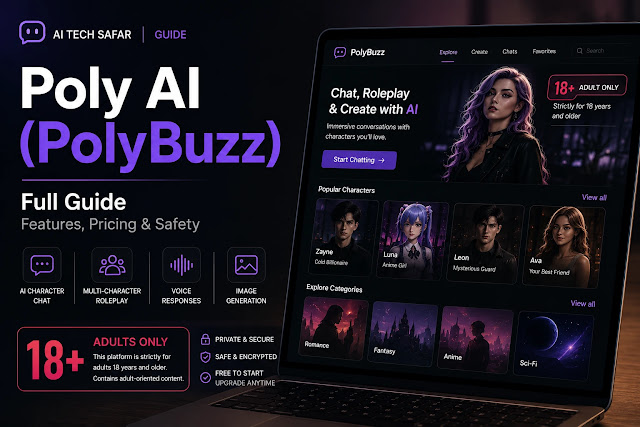
Is Poly AI chat free and safe to use?
PolyBuzz offers free character chat and optional memberships. Free access does not establish privacy or safety. Its current web terms require users to be at least 18. Treat character replies as generated fiction, avoid sensitive disclosures and check the terms for the product you use. This guide covers PolyBuzz, not the separate enterprise voice company PolyAI.
Correction, November 17: Removed unverified plan prices and the blanket adult-safety assurance. Added the conflict between the FAQ’s Teen Mode wording and the 18+ web terms, plus explicit privacy and deletion limitations.
TL;DR
- Poly AI (PolyBuzz) is a free AI character chat and roleplay platform at polybuzz.ai – not to be confused with the enterprise voice company poly.ai.
- Free access: The official FAQ lists no-cost access and optional membership. Exact paid prices and current quotas were not verified in this update.
- Strictly 18+ only. Not safe for minors – the platform contains adult-oriented content.
- Best for: AI roleplay, companionship, creative storytelling, and multi-character group chats.
Reviewed by Imran Khan Pathan, Editor at AI Tech Safar. This guide is compiled from PolyBuzz’s official site, terms of use, and membership page, cross-checked against independent parental-safety reviews (Qustodio, Bright Canary) and third-party app reviews. Pricing and features on apps like this change often – verify current terms directly on polybuzz.ai before subscribing.
Free access, safety and privacy sections checked November 17, 2026. This update reviews documents; it is not an app security audit or a new hands-on test.
What Is Poly AI (PolyBuzz)?
PolyBuzz AI (polybuzz.ai) is the platform most people are actually searching for when they type “poly ai” into Google.
It’s a free AI character chat platform built for roleplay, companionship, and creative storytelling. You pick a character – or build your own – and have open-ended conversations powered by large language models. Think of it like Character AI, but with a stronger focus on immersive roleplay, multi-character scenes, voice responses, and image generation.

Quick key facts:
- Platform: Web (polybuzz.ai) + iOS and Android apps
- Age requirement: 18+ strictly – this is an adult platform
- Core use cases: Roleplay, AI companionship, creative fiction, entertainment
- Standout features: Multi-character group chats, voice playback, in-chat image generation, deep character customization
- Free tier: Yes – genuinely usable without paying
⚠️ Don’t confuse it with poly.ai – that’s a completely different B2B enterprise voice AI company serving call centers. The “poly ai” everyone’s searching for is PolyBuzz.
How to Use Poly AI – Step-by-Step for Beginners
Getting started takes about two minutes.
Step 1 – Sign up. Go to polybuzz.ai or download the app (iOS/Android). Create an account with your email or a social login. You’ll need to confirm you’re 18 or older.
Step 2 – Browse or search characters. The home feed shows popular AI characters across genres: fantasy, romance, anime, sci-fi, and more. Use the search bar to find something specific.
Step 3 – Start a chat. Tap any character and hit Chat. The conversation starts immediately. The AI responds in character based on its personality profile.
Step 4 – Create your own character. Hit Create. Fill in a name and avatar, personality traits and backstory, a voice preference, and tags for discoverability. The more detail you add, the better the character responds.
Tips to get better conversations:
- Set the scene early – open with a short description of the setting and your character’s role. The AI picks up context fast.
- Use longer prompts – one-sentence messages get shallow replies. Two to three sentences get much richer responses.
- Adjust the character’s persona – if responses feel off, edit the character’s description and retry.
- Use voice mode – hearing the character “speak” adds real immersion.
Is Poly AI free? What to check before paying
The official FAQ says PolyBuzz has no-cost access and optional memberships. It describes Basic and Premium benefits, but that does not verify the old dollar-price table on this page. We removed that table because current checkout prices could not be confirmed.
| Question | What to check |
|---|---|
| Can I start without a subscription? | The FAQ lists free access; inspect the current limits shown in your account. |
| What does a membership add? | Read the current feature list and renewal price before subscribing. |
| Are coins the same as membership? | The FAQ describes coins separately for selected chat extras. Check the cost of the specific action. |
| What happens after cancellation? | The FAQ says benefits continue until the paid period ends. Use the billing provider that processed the purchase. |
A free chat option is not a promise that every model, voice feature or image action is unlimited.
Poly AI Features – What Makes It Stand Out
Multi-character group chats. This is PolyBuzz’s biggest differentiator – you can run scenes with multiple AI characters at once, a full cast, not just a single bot.
Voice conversations. Characters can speak their responses aloud via text-to-speech. Voice support is primarily English, and some voice features require a paid plan.
Image generation in chat. You can generate images inside the conversation – character avatars, scene visuals. Image tools vary by plan and platform (mobile vs. web).
Deep character customization. Every character has a full personality profile: backstory, speech style, voice, appearance, tags. You can build highly specific characters and share them publicly or keep them private.
Character visibility and chat privacy. Public/private character settings control visibility; they do not by themselves establish how the service processes your data. See the privacy checks below.
Is Poly AI safe? Age rules and limits of the evidence
There is no basis here to certify PolyBuzz as safe for every adult. We reviewed published documents, not its code, moderation performance or security controls.
The web terms require users to be at least 18. However, the FAQ still describes Teen Mode. These official pages conflict; the FAQ wording should not be treated as permission for a minor to use the service. Check the current terms for the specific web or app product.
The FAQ says public NSFW content is prohibited and recommended content is screened. That is the provider’s description, not proof that every generated reply is appropriate. For adults, evaluate content exposure, privacy and spending separately.
Are PolyBuzz chats private?
The FAQ uses broad privacy language. The privacy policy, updated October 27, 2026, nevertheless describes collecting input text, uploaded pictures, device/log information and payment records. It also describes processing and sharing for service operation. “Not visible to other users” is different from “no data is processed by the provider.”
- Use fictional details in roleplay; avoid passwords, identification documents and private work files.
- Check permissions before enabling optional uploads or voice features.
- Do not treat a character’s health, legal or financial statements as professional advice.
How do I delete my PolyBuzz account?
The privacy policy gives the route Settings → Account → Delete. It warns that deletion is irreversible and some backup data may not be removed immediately. Review subscription cancellation separately before deleting an account; do not assume deletion instantly removes every retained record.
Poly AI vs Competitors – Which Is Best?
| Platform | Free Tier | NSFW Policy | Best For |
|---|---|---|---|
| PolyBuzz | ✅ Yes (limited) | Private only; 18+ required | Mobile-first roleplay, group chats, voice + image |
| Character AI | ✅ Yes (generous) | Strict – no NSFW | Mainstream character chat, largest library |
| Replika | ✅ Yes (basic) | Moderate; companion focus | Emotional support, long-term AI companionship |
| Janitor AI | ✅ Yes (API-dependent) | Permissive; user-controlled | Creative freedom, uncensored roleplay |
How to compare: Check each service’s current age rules, data practices, content controls and billing terms. This comparison is not a security certification or a guarantee that a competing service is suitable for children.
5 Tips to Get the Most Out of Poly AI
1. Write a scene-setting opener. Don’t just say “hi.” Open with a short scene description – the AI runs with it and responses get noticeably richer.
2. Edit the character’s system prompt. Most users never touch this. Go into character settings and refine the personality description – even small tweaks make a big difference.
3. Use voice mode for immersion. Text-only gets old fast. Switching on voice playback changes the feel of the whole conversation.
4. Explore niche character tags. Don’t just browse “popular” – filter by genre tags. The best characters are often buried a few pages in.
5. Check the paid benefit you actually need. Compare its current allowance with free access before subscribing. Do not assume “permanent memory” or unlimited use from an older plan description.
Frequently Asked Questions
Is Poly AI free?
The official FAQ lists free access and optional memberships. Current prices and feature allowances should be checked in your account; we have not verified the old subscription prices.
Is Poly AI safe for kids?
No. PolyBuzz is strictly 18+ only and contains adult-oriented content. It is not appropriate for children or teenagers. Parents should use parental controls to block access.
What is the difference between Poly AI and PolyBuzz?
They’re the same thing – just two names for the same platform. “Poly AI” is the popular search term people use; the actual product is called PolyBuzz, found at polybuzz.ai. The enterprise voice company poly.ai is a completely separate business.
Is Poly AI the same as Character AI?
No. Both are AI character chat platforms, but they’re separate products. Character AI has a larger character library and stricter content filters. PolyBuzz is 18+, has more permissive content in private chats, and adds voice and image generation features Character AI doesn’t offer.
How do I delete my Poly AI account?
The published privacy policy specifies Settings → Account → Delete. Review its deletion conditions and manage any subscription through the original billing provider.
Can I use Poly AI on mobile?
Yes. PolyBuzz has native apps for both iOS and Android, plus a full web version. The mobile apps support most features including chat, character creation, and voice.
Can I delete my data if I stop using PolyBuzz?
The privacy policy describes account deletion and says some backup information may remain until backup systems are updated. Retention and deletion are not the same as simply hiding a conversation.
Related Reading on AI Tech Safar
- Grok AI vs ChatGPT: The Honest 2026 Comparison
- Best AI Courses for Beginners in 2026: Tested, Ranked & Honest
Useful Sources
- PolyBuzz AI – Official Site
- PolyBuzz Terms of Use
- PolyBuzz Membership & Pricing
- PolyBuzz Privacy Policy
- Is PolyBuzz Safe? – Qustodio Parent Guide
- Is PolyBuzz Safe for Kids? – Bright Canary
For the broader context and related reading, explore our AI Tools 2026: Free Options, Categories and Companies.