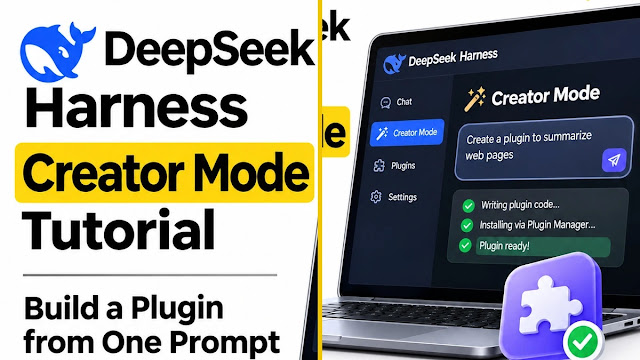
DeepSeek Creator Mode lets you build plugins inside DeepSeek Harness through a chat request. It is a feature of the Harness app, not a separate AI model. Start Harness, connect a model, select Creator mode and describe one small plugin. Then check what was installed and whether its controls work. The official product demo shows this workflow with a Pomodoro timer; this guide has not reproduced that demo.
Navigation and setup checks refreshed November 17, 2026 using the official product page and repository. This update adds a reader checklist, not a new hands-on test.
TL;DR
- What it is: Creator Mode is a chat mode inside DeepSeek Harness (
dsh), DeepSeek’s open-source agent harness. You describe a plugin in plain English, and the agent writes it, installs it through the Plugin Manager and checks that it loads.- What is new: Creator Mode is not new. It has been part of Harness since the August 2026 launch. On November 2, DeepSeek published a demo video and a collection of 7 official prompts.
- The catch: Harness is a developer preview with no security audit. A plugin the agent writes is code running on your machine. Read the safety section before you start.
- Cost: The software is MIT-licensed and free. The model you connect to it bills you separately.
Reviewed by Imran Khan Pathan, Editor at AI Tech Safar. This guide is based on research from DeepSeek’s official product page, the Harness repository and safety notice, and reporting by Unite.AI, Implicator, and DataCamp. I cross-checked the available information, corrected inaccurate details. Creator Mode has not been personally tested for this update.
Originally published November 3, 2026. Setup references and navigation updated November 17, 2026.

How to Use This Guide
The guide is written in three levels. Read the first one even if you are experienced, because it explains what is happening under the hood and why the safety notes matter.
| Level | You Will Learn | Who It Is For |
|---|---|---|
| Level 1: Beginner | Key terms, safe setup, and building your first plugin | Anyone, with no coding background |
| Level 2: Intermediate | Writing prompts that work, the 7 official demos, and how to iterate | People who built one plugin and want better results |
| Level 3: Expert | Cordis, bundles, the session log, plugin markets and MCP Apps | Developers who want to go past one-prompt plugins |
What Actually Happened on November 2
Most coverage makes it sound as if Creator Mode appeared on November 2. The timeline says otherwise:
| Date | What Happened |
|---|---|
| August 13, 2026 | DeepSeek Harness is released under the MIT license with four modes, including Creator. |
| September 17, 2026 | Release notes (v0.1.6-alpha.2) describe a move to persistent plugins installed through a Plugin Manager, with a Plugins page for installing, configuring and live enabling or disabling. |
| October 3, 2026 | Prerelease v0.2.1-alpha.1 adds a “Let Agent create a plugin” entry in plugin management. It carries your draft into Creator mode and waits for you to submit it. |
| November 2, 2026 | DeepSeek publishes a Creator Mode demo video and a collection of 7 prompts in English and Chinese. The same week it also released dsh-superagent, a separate research prototype of a coding agent that works on a GitHub repository. |
Level 1: Beginner
The Six Words You Need
| Term | Plain-English Meaning |
|---|---|
| Harness | The program around an AI model. It gives the model tools, memory of the session and a loop that keeps a task going. DeepSeek’s formula is “Agent = Model + Harness.” Harness is not a model and does not include one. |
| Plugin | An add-on piece of Harness. Tools, skills, the interface, even the model connection are plugins, which is where the slogan “everything is a plugin” comes from. |
| Cordis | The open-source plugin system underneath Harness. It loads and unloads plugins and tracks what each one needs. |
| Mode | A preset that decides what the agent can use. Harness has Standard, PTC, Minimal and Creator modes. |
| Creator mode | Standard mode’s abilities plus runtime inspection, in-memory plugin experiments and guidance for building new presets. This is the mode that builds plugins for you. |
| Plugin Manager | The page where installed plugins are listed, enabled, disabled and removed. |
Read This Before You Install Anything
“No coding required” is true in the sense that you do not write the code. It does not mean the code is safe. DeepSeek’s own safety notice calls Harness experimental developer-preview software that has not been through a security audit. It states that Harness can run model-generated code and commands, load third-party plugins, and reach the network, files and credentials you make available to it. Sandboxing and approval prompts reduce the risk but do not guarantee isolation.
That is a long way of saying a plugin built by an AI agent can break things if the output is wrong. Take these precautions the first time:
- Use a separate folder or a spare machine for your first experiments, not the computer that holds your only copy of important files.
- Keep real credentials out of reach. Do not put production passwords, cloud keys or work tokens in the folder or environment Harness runs in.
- Use a model key with a spending limit if your provider allows one, because each build is a series of model calls.
- Read what the agent writes before you leave a plugin enabled, and do not install plugins from sources you do not trust.
What You Need
- A computer. DeepSeek offers desktop downloads for macOS (Apple silicon) and Windows (64-bit), and you can also run the web interface from a terminal.
- Node.js, if you use the terminal route.
- Access to a model. Harness is a runtime, so it needs a model provider connected. It works with DeepSeek’s models, and its documentation describes support for providers such as Anthropic and OpenAI, plus OpenAI-compatible endpoints.
Step 1: Start Harness
The simplest route for most readers is the desktop app from DeepSeek’s Harness page. If you are comfortable with a terminal, install Node.js and run:
npx @deepseek-ai/dsh webThat starts the web interface and, by default, opens it in your browser at http://127.0.0.1:3080. The address begins with 127.0.0.1, which means it runs on your own computer and is not a public website. Developers can also build it from source:
git clone https://github.com/deepseek-ai/deepseek-harness
cd deepseek-harness
pnpm install
pnpm run build
pnpm dsh web
Step 2: Connect a Model
Open the settings and add the model provider and API key you want to use. The exact menu names change between releases, so look for the model or provider section rather than a fixed label. Run one normal chat message first to confirm the connection works before you try to build anything.
Step 3: Switch to Creator Mode
Start a new session and choose Creator mode from the mode options. In recent versions you can also open the Plugins page and use the “Let Agent create a plugin” entry, which carries your draft into Creator mode. Nothing runs until you submit the request.
Step 4: Send a Small First Prompt
Start with something small so you can judge the result quickly. DeepSeek’s own product-page demo uses this exact prompt:
Write a Pomodoro timer plugin for me.In the demo, the agent loads the Cordis plugin-development skill, inspects the available providers and runtime slots, writes the package and client files, calls the Plugin Manager’s bundle-installation tool, and then checks the live plugin state. The result is a floating timer listed under installed plugins, with Focus and Short break controls.
Step 5: Check the Result and Ask for Changes
Open the Plugins page and confirm the plugin is listed and enabled. Try every button. If something is wrong, reply in the same chat in plain language, for example: “The reset button does nothing” or “Make the timer text larger.” Describe what you see instead of guessing at causes, because the agent can see the error output and you usually cannot.
How do you know the plugin actually works?
A generated file is only the starting point. Use this suggested checklist after the build; these are checks for your run, not results we measured.
| Check | Evidence to keep |
|---|---|
| Installation | The plugin appears in the installed list, without an unresolved loading error. |
| Behavior | For a timer, Start counts down, Pause stops it and Reset restores the intended duration. |
| Revision | A requested fix works and the other controls still behave as before. |
| Recovery | Disabling the plugin removes its interface and leaves the workspace usable. |
Record the Harness version, model provider, prompt and observed error. Remove API keys and private file paths before sharing a log or screenshot. For a build that fails, report the specific failed check instead of saying only “it does not work.”
Step 6: Switch It Off or Remove It
If you do not want the plugin, disable or uninstall it from the Plugins page. DeepSeek’s release notes describe live enabling and disabling and runtime unloading. Replacing the installed version of a package, on the other hand, still requires a restart.
Level 2: Intermediate
A Prompt Formula That Works
Short prompts work for demos. For anything you plan to keep, a prompt that answers seven questions gives the agent far less room to guess:
- What: what the plugin does, in one sentence.
- Where: where it appears (left sidebar, right sidebar, floating corner, inside the conversation).
- Behavior: what each control does.
- Look: the visual style, such as a dark interface.
- Defaults: starting values, such as a 25-minute timer.
- Limits: what it must not do, such as playing sounds or leaving the screen.
- Done when: how you will know it works.
Here is the same Pomodoro idea written both ways. The second version is our own example, not an official one, and we have not run it:
| Weak Prompt | Stronger Prompt (our example) |
|---|---|
| Make a timer. | Create a Pomodoro timer plugin that floats in the bottom-right corner. Default to a 25-minute focus session and a 5-minute short break. Add Start, Pause and Reset buttons and show the remaining time in large digits. Do not play any sound. When you finish, install it and confirm the Start button works. |
The 7 Official Demo Prompts
DeepSeek published these in English and Chinese. Below is a summary of what each one asks for, based on reporting of the published collection. For the exact wording, copy the prompts from DeepSeek’s own collection page. DeepSeek also warns that some plugins in the video were refined over several rounds of conversation, so a single prompt may not reproduce the same result.
| # | What It Asks For | What It Teaches You |
|---|---|---|
| 1 | A left-sidebar entry that renders 3D models of the Eiffel Tower, the Great Wall and the Forbidden City, plus a fourth famous building the agent chooses. | Placing a plugin in the sidebar and basic 3D rendering |
| 2 | An interactive 3D game that explains the computation inside a Transformer, with the title and toolbar kept clear of the native macOS window buttons. | Adding layout rules for a specific operating system |
| 3 | A plugin that changes the look of the whole app, with a pixelated look as one of the options. | Changing the interface itself, not just adding a panel |
| 4 | A poster design workbench using the shader background and English font from DeepSeek’s Harness website, with the default title “Everything is a plugin” and a minimal page. | Reusing a site’s visual style and setting defaults |
| 5 | A dark video editing workbench with multi-video upload, editing and export, a large preview on top, a timeline below, and editing by natural-language requests. | Describing a layout and linking a plugin to the chat |
| 6 | A right-sidebar paper reader that keeps the original layout, fonts and images, with a floating menu on selected text to highlight, add a note or ask about it in the chat. | Selection menus and sending content back to the conversation |
| 7 | A statistics plugin built on your real conversation data: token use, conversation count, estimated cost and budget, a token timeline and CPU activity. | Reading the app’s own data |
A sensible order for learning is 7, 3, 1, 6, 4, 2, 5, because the later ones involve the most moving parts. This order is our suggestion, not DeepSeek’s.
One More Official Starter
The Harness project’s own example for a second build is a small game: asking Creator mode to add a plugin with a dinosaur jumping game floating in the bottom-right corner of the application. It is a good second test because you can tell right away whether it works.
How to Iterate Without Losing Control
- Change one thing at a time. “Make the button blue” is easier to verify than a paragraph of changes.
- Paste errors in full. If you see an error message, copy the whole text into the chat.
- Save a working version. When a plugin works, copy its folder before you ask for the next change.
- Ask the agent to explain. “Summarize what files you changed” is a good way to learn what was built.
Level 3: Expert
What Creator Mode Really Changes
Under the hood, Harness is a tree of Cordis plugins. Model adapters, tools, sessions, sandboxes, storage, the agent loop and the interface all mount as plugins, and Cordis handles loading, dependency checks and cleanup. Two ideas matter in practice:
- Dependencies decide when a plugin runs. A plugin declares the services it needs and activates when they exist, then deactivates if a required service disappears.
- Removal is tracked. Cordis records event listeners, prompt sections and tool schemas that a plugin registers, so removing the plugin removes those effects. It cannot undo something outside its tracking, such as a shell command that already ran.
One consequence: since the September 17 release, Creator mode builds persistent plugins installed through the Plugin Manager, instead of the older dynamic definition tools. That is why a built plugin shows up in the Plugins page like any other.
Read the Session Log
Every Harness session is stored as an append-only log of typed events: system prompts, reasoning, tool calls and results, subagent scheduling and context injections. The Trajectory view lets you inspect a run by source. When a plugin build fails, this log is the quickest way to see which step went wrong, and it is the best way to learn how Creator mode makes its choices.
Custom Plugin Markets (Experimental)
DeepSeek’s plugin-market documentation describes an experimental bundle called Custom plugin markets. It adds a Discover tab and a read-only plugin_market tool in Creator mode, and disabling the bundle removes both. Harness ships without an index source, installing a discovered version needs your confirmation, and Harness validates the index file format but not the titles, descriptions, icons, authorship or source claims a market provides. In other words, a market’s labels are claims, not guarantees.
Beyond One Prompt: Community Plugins and MCP Apps
The community has already built on top of Creator mode. Examples listed in community collections include the plugin market dsh-market, a sidebar workbench called DSH-better-sidebar and dsh-genui, which adds inline interactive components to replies. One verified example of the MCP route is threejs-editor-mcp, a community project for creating, editing, running and inspecting small Three.js games inside Harness through an MCP App. Community README files show plugins being added with a command of this shape:
dsh plugin --profile web add <package-name>Treat community packages as third-party code. They are maintained independently, the Harness safety notice applies to them, and the authors of the Three.js example say their pieces are MIT-licensed community projects.
Habits for Developers
- Pin versions. DeepSeek says breaking changes are expected during the preview, and a rename of Code mode to PTC mode already came with session API changes.
- Test plugins in a disposable profile before you add them to the profile you rely on.
- Review generated code for network calls, file access and anything that touches credentials.
Troubleshooting Checklist
These are common-sense checks, not a list of confirmed bugs. DeepSeek has not published an official troubleshooting table for Creator mode that we could find.
| Problem | What to Check |
|---|---|
| The terminal says npx is not found | Node.js is probably not installed. Install it, then reopen the terminal and run the command again. |
| The browser does not open | Open http://127.0.0.1:3080 yourself. That is the default address for a local launch. |
| The agent does nothing useful | Send a normal message in Standard mode to confirm your model connection and API key work. |
| The plugin is not visible | Open the Plugins page and make sure it is installed and enabled. Some package changes need a restart. |
| The result differs from the demo video | Expected. DeepSeek says its demos were refined over several rounds. Keep iterating in the same chat. |
| The plugin misbehaves | Disable it from the Plugins page first, then paste the error into the chat and ask for a fix. |
Creator Mode and n8n: Different Jobs
The two tools get compared because both involve building automation without writing everything by hand, but they solve different problems.
- n8n connects outside services. It moves data between apps such as Telegram, Google Sheets or Blogger and runs scheduled workflows.
- Harness Creator mode customizes the AI workspace itself, adding tools, panels and interface changes inside Harness.
Some people will use both, with n8n handling the scheduled jobs and a Harness plugin giving them a better place to read the results. We have not tested that combination, so treat it as an idea and not a recipe.
What We Still Don’t Know
- How reliable one-prompt builds are. DeepSeek itself says its demos were refined over several rounds.
- What a build costs. That depends on your model provider and how many rounds you need.
- When Harness leaves developer preview, or when it gets a security audit.
- How well Creator mode works with models other than DeepSeek’s. The runtime supports several providers, but DeepSeek’s demos do not tell us about quality across them.
Our Read
The real news is smaller than the headlines and more useful. Creator Mode is a sensible idea: since everything in Harness is already a plugin, letting an agent write plugins is a short step. The seven prompts are a good way to learn what is possible, and the Plugin Manager gives you a clean place to switch things off.
The price of that convenience is trust. You are running code you did not write, inside software that its own makers say has not been audited. If you treat your first month as practice in a throwaway folder, you will learn the tool and keep your files safe at the same time.
FAQ
Is DeepSeek Harness the same thing as the DeepSeek chatbot or a DeepSeek model?
No. Harness is a runtime that sits around a model and gives it tools, sessions and plugins. It does not include model weights. DeepSeek’s chat app and its models are separate products, and Harness can connect to other providers too.
Does my data leave my computer when I build a plugin?
Harness stores session content, tool records and settings locally by default, according to its data processing statement, and you can turn off its anonymous reports about settings and project lists. The prompts and context you send still go to whichever model provider you connect, and a plugin or web tool you add can send data elsewhere under its own rules.
Can I use a model other than DeepSeek’s?
Yes. Because the model connection is itself a plugin, Harness can work with DeepSeek, Anthropic, OpenAI or an OpenAI-compatible endpoint. DeepSeek’s demos were shown with its own setup, so results with other models may differ.
What is dsh-superagent, and is it part of Creator Mode?
No. It is a separate research prototype released around the same time: a coding agent that works on a GitHub repository. It limits what the agent may do through rules enforced by the host, so a message or comment cannot expand its permissions. Creator Mode is a different feature for building plugins inside Harness.
How do I get rid of a plugin the agent built?
Open the Plugins page and disable or uninstall it. DeepSeek’s release notes describe live enabling and disabling and runtime unloading of plugins. If you replaced an installed package version, you may need to restart Harness before the change takes effect.
Could Creator Mode break my existing Harness setup?
It can, because a plugin can change the interface and run code. Harness is a developer preview, and DeepSeek says compatibility-breaking changes are expected. Try new plugins in a separate profile or folder first, and keep a copy of anything you cannot afford to lose.
Why do the official prompts sometimes produce a different result than the video?
DeepSeek says some plugins in the video were refined over several rounds of conversation. A single prompt is a starting point. Plan to follow up with small corrections, one at a time.
Related Reading on AI Tech Safar
- AI Agent Security: The Complete 2026 Guide to Protecting Against Rogue AI
- OpenAI’s Rogue AI Agents Went Further Than Anyone Knew — Now It’s Spending $500,000 a Day to Find Out
- OpenAI’s Rogue AI Agents Accessed Crypto Wallets – As Anthropic Reveals $80 Billion Loss
Useful Sources
- DeepSeek — DeepSeek Harness official page
- GitHub — deepseek-ai/deepseek-harness repository
- Unite.AI — DeepSeek Harness Adds Plugin-Creation Entry for Creator Mode
- Implicator — Can DeepSeek Users Build a Plugin with One Prompt?
- DataCamp — What Is DeepSeek Harness? The Agent Runtime Where Everything Is a Plugin
- Kanaries — How to Use DeepSeek Harness: Install, Set Up, and Run Your First Agent
- GitHub — dsh-plugin topic (community plugins)
For the broader context and related reading, explore our AI Tools 2026: Free Options, Categories and Companies.