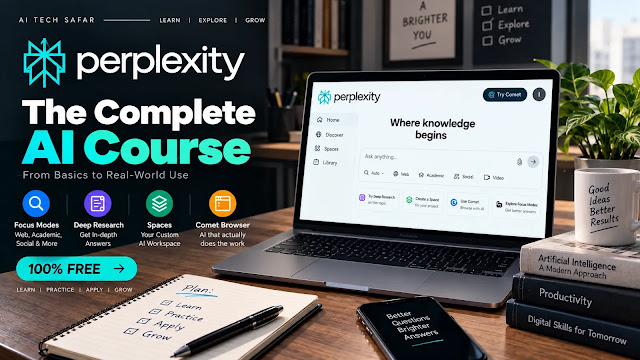
The Complete Perplexity AI Course (2026 Update): Free to Advanced, Start to Finish
TL;DR
- This is a full, self-contained course on Perplexity AI, the cited-answer search engine most people only use for “ChatGPT but with sources.” It now covers beginner basics and a full advanced track.
- The free plan changed. As of mid-October 2026, Perplexity’s own plan comparison, as reported by independent trackers, gives free users practically unlimited basic searches, 3 Pro Searches a day and 1 Deep Research report a month.
- Three names changed. Focus Modes became a source selector (Web, Academic, Finance, your files). Spaces are now documented as Projects. Deep Research appears as Research in the mode menu.
- Comet is free, but its agent is not. The browser costs nothing. Comet Assistant agent tasks, which click through sites for you, sit on paid plans.
- New advanced modules teach source verification, Memory, Model Council, Perplexity Computer, MCP connectors and the security risks of agentic browsing.

Reviewed by Imran Khan Pathan, Editor at AI Tech Safar. I ran real Deep Research sessions, built an actual Space, and used the Comet browser for a genuine multi-step task before writing a single instruction below. Every workflow in this course is something I ran myself on the free tier not a rewording of Perplexity’s own marketing pages. Where something is inconsistent across regions or account rollouts, I’ve said so plainly rather than guessing.
Last updated: November 5, 2026
What Changed Since the September Version
If you read an earlier version of this course, or any guide written before October 2026, these are the corrections that matter most:
| Topic | Older Guides Say | Current (Oct-Nov 2026) |
|---|---|---|
| Free Deep Research | 3 to 5 runs a day | 1 report a month on the free plan, per Perplexity’s plan comparison |
| Free Pro Search | 3 to 5 a day | 3 a day |
| Focus Modes | Six modes: Web, Academic, Reddit, YouTube, News, Wolfram | A source selector. Current documentation names Web, Academic, Finance and your own files. The options you see depend on your plan and app. |
| Spaces | Spaces | Documented as Projects; the old help link redirects there |
| Comet | “Fully free agentic browser” | Browser is free. Comet Assistant agent tasks show no free allowance. |
| Labs | Labs | Now called Create files and apps |
| Pro limits | “Effectively unlimited” or “20+ a day” | Weekly Pro Search limits and monthly Research limits, described by Perplexity only as sized for average use |
Who This Course Is For
This is written for people who’ve used Perplexity as “a search bar that gives you a paragraph instead of ten blue links” and stopped there. That is a small fraction of what the tool does. Most people never narrow their sources on purpose, never run a real Research report, never build a Project and don’t know Perplexity ships its own browser.
The course has three tracks. You can stop after the first one and be better than most users, but each track builds on the one before it:
| Track | Modules | You Will Be Able To |
|---|---|---|
| Foundations | 1 to 4 | Pick a plan, choose sources and write queries that retrieve better evidence |
| Core Tools | 5 to 9 | Run Research reports, build Projects, use Memory, work safely in Comet and publish Pages |
| Advanced | 10 to 14 | Verify claims systematically, compare models, delegate to Computer, connect your own tools and build repeatable workflows |
No prior AI experience is needed. Let’s start from the actual foundation.
Module 1: What Perplexity Actually Is (The Part Everyone Skips)
Before touching the interface, understand one distinction, because it changes how you should use the tool: Perplexity is a retrieval-and-synthesis engine, not a general chatbot that occasionally checks the web.
ChatGPT and Claude answer primarily from training data and reach out to the web when it is triggered. Perplexity flips that. A standard answer starts with a live search, pulls in current sources, and only then writes a response with numbered citations pointing back to where each claim came from. That is why it is far better than a general chatbot for anything time-sensitive, factual or verification-heavy. It is answering from what it just found, not from memory.
On the free plan you do not choose the model. Perplexity picks one for you with its automatic Best setting. Paid plans add a model picker, and Perplexity’s help center suggests a simple habit: start with Best for everyday questions, turn on Thinking for complex reasoning or multi-step analysis, use Research when you want a full report, and use Model Council when comparing several models matters.
The practical implication: Perplexity shines on questions with a real, checkable answer somewhere on the internet. It is a weaker choice for open-ended creative writing or long private brainstorming, which general chatbots still handle better.
Module 2: Choosing Your Plan (Free Still Goes Far, With Limits)
| Feature | Free | Pro ($20/mo) | Max ($200/mo) |
|---|---|---|---|
| Basic searches with citations | Practically unlimited | Practically unlimited | Practically unlimited |
| Pro Search | 3 per day | Weekly limits | Highest limits |
| Deep Research (Research) | 1 per month | Monthly limits | Highest limits |
| Source selection | Yes (options vary by app) | Yes | Yes |
| Model choice | No, Best picks for you | Yes (picker lists models such as Sonar 2, Claude Sonnet 5, GPT-5.6 Terra) | Yes, plus Claude Opus 5 and GPT-5.6 Sol |
| Model Council (web) | No | No | Yes |
| Create files and apps (formerly Labs) | No | Monthly limits | Higher |
| Comet browser | Free | Free | Free |
| Comet Assistant agent tasks | No free allowance | Monthly limits | Higher |
| Perplexity Computer | No | Weekly included usage | 10,000 credits a month, per a third-party summary |
| Image and video generation | Listed as paid (help pages are inconsistent) | Yes | Yes |
Two other plans are worth knowing. Education Pro costs $10 a month for verified students and educators. The old free-year student deal ended in January 2026. Pro can also be billed at $200 a year.
What is the same on every plan: practically unlimited cited basic search, source selection, voice mode, Projects and the free Comet browser. Paying mainly buys more depth (Pro Search, Research and agent tasks), model choice and access to Computer.
Course recommendation: start on Free. Modules 1 to 4, 6 to 7 and the verification method in Module 10 all work there. You will feel the limit when you want more than one Research report a month or want to use the agent features.
Note: Perplexity prints no specific number for Pro and Max quotas. It describes them as weekly and monthly limits for “average use.” Third-party trackers disagree on the counts, so treat any number you see, including those here, as a snapshot and watch the counter in your account.
Module 3: Choosing Sources (Formerly Focus Modes)
Under the search bar there is a control that tells Perplexity where to look. It used to be called Focus and offered modes such as Reddit, YouTube and Wolfram. In Perplexity’s current documentation it is a source selector, and the options it names are:
- Web – the open internet, the default.
- Academic – scholarly and peer-reviewed sources. Use it when you want research papers behind a claim, not blog posts about research papers.
- Finance – financial data and filings. Use it for company, market and earnings questions.
- Your files – questions about documents you uploaded or connected. Inside a Project, your files are already part of the context.
The exact options you see depend on your plan and app, and some accounts and older app versions still show extras such as Social or Writing. Look at the picker in your own search bar before you assume a mode exists. In Enterprise accounts the control is a “Choose sources” menu instead.
The rule that changes your results most: match the source to where the honest answer lives. “What does the research say about X” belongs in Academic. “How did this company’s quarter go” belongs in Finance. If a mode you used to rely on, such as Reddit, is not in your picker, you can still steer the search by naming the kind of evidence in your question, for example “from owner discussions and forum threads, not review sites.” That is our workaround, not an official feature, and results will vary.
Module 4: Advanced Query Techniques
Because every answer is grounded in live retrieval, how you phrase a query changes what gets searched for, not only how the answer is worded. That is a different mental model from prompting a general chatbot.
1. Front-load the specific, checkable part of your question. “What’s the current price of X and when did it last change” retrieves better than “tell me about X’s pricing history,” because the specific terms drive the search itself.
2. Use the five-part frame for anything non-trivial. State the topic, the scope, the source type you want, how recent it must be, and the output format. Example: “Research the use of AI in radiology. Focus on FDA-cleared tools. Prioritize peer-reviewed sources from the last three years. Present the result as a table.”
3. Use follow-ups to narrow, not restart. Perplexity keeps thread context. After a broad answer, ask “now only sources from the last 3 months” or “which of these sources tested this themselves versus just reporting on it.”
4. Ask it to separate primary from secondary sources. “Which of these citations are original reporting, and which are aggregators repeating someone else’s findings?” This one question does more for research quality than almost any other technique in this course.
5. Ask for disagreement on purpose. “Find credible sources that contradict this claim” forces a second retrieval aimed at the opposite side, which is the fastest way to catch a one-sided answer.
6. Ask for what is missing. “What would you need to see to be more confident in this answer?” often reveals that the answer rests on a single source.
7. Push back on thin citations. If a source looks weak, ask “How reliable is source 3 compared to the others?” and open the link yourself. A citation is a pointer, not a guarantee that the page says what the sentence claims.
Module 5: Research (Deep Research) – Running a Real Investigation
What It Does Differently
A normal search, even Pro Search, runs one retrieval pass and writes an answer. Research mode, which older material calls Deep Research, runs a multi-step investigation. According to Perplexity’s description, it builds a research plan, runs many searches, reads and reasons through the material while refining the plan, and returns a longer structured report with citations. You cannot pick the model in this mode, because Perplexity chooses it.
How to Run One Properly
- Select Research from the mode selector before sending your query.
- Frame the question as an investigation, not a lookup. Weak: “What is X?” Strong: “Investigate the current debate around X, who the main voices are on each side, and what evidence each cites. Prioritize primary sources and flag anything that rests on one source.”
- Let it run. It takes noticeably longer than a normal search because the retrieval is sequential.
- Read the report, then click through the citations behind any claim you plan to repeat.
- If the report is worth keeping, convert it to a Perplexity Page (Module 9) or export it.
Because the autonomous run follows your first prompt, a vague prompt gives a vague report. Spend your effort on the prompt, not on re-running.
Quota Reality Check
On the free plan you get roughly one Research report a month, so treat each one as scarce. Use a Pro Search (3 a day) or a well-built standard query for anything that does not truly need a long report. On paid plans the limit is monthly and unpublished. Perplexity is also moving Deep Research and Model Council into Computer as built-in skills, starting with Pro and Max subscribers on the web, so how you start a report may change on your account.
Three Real Use Cases
Industry monitoring: “What are the most significant developments in [industry] in the last 7 days, and which are confirmed by more than one independent outlet?” Run it weekly if you are on a paid plan.
Pre-meeting briefing: “Research [company or person]’s recent public activity, announcements and any controversy in the last 6 months, citing primary sources where possible.”
Purchase research: “Compare independent reviews and verified owner experiences, not press releases, for [product] and its two closest competitors.”
Module 6: Projects (Formerly Spaces) – Building a Persistent Research Assistant
A Project is a dedicated workspace that keeps searches, files, instructions, links and connected tools together. It is Perplexity’s answer to “I don’t want to re-explain context every time.” Perplexity’s help center now documents Spaces under this name, and the old “What are Spaces” link redirects to Projects.
What a Project Can Hold
| Item | Limit or Detail |
|---|---|
| Instructions | Up to 8,000 characters, applied to every session in the Project |
| Files | Up to 10,000 files and 5 GB, each file up to 100 MB, according to the help center. The plan comparison page lists lower counts for some plans, so check your account. |
| Files in a normal thread | 40 MB each, counted against a rolling weekly allowance |
| Links and domains | Sources you want Perplexity to prioritize |
| Connectors | Files added from connectors are one-time copies and do not update when the original changes |
| Sharing | Private by default. You can invite people as Owner, Can edit or Can view, up to 5 contributors on a personal account. |
| Brain | An ongoing memory of the work in a Project. Max feature, tied to Computer. |
How to Build One
- Create a Project named after one specific topic or client, not “general stuff.”
- Write instructions in the settings. Treat them like a system prompt. A tested structure is a short role, a list of sourcing rules and a fixed output format.
- Upload only files relevant to that topic. Thirty unrelated documents dilute every answer.
- Add links or domains you trust to the Project.
- Ask questions inside the Project over time so searches and context build up like a folder.
A Starter Instruction Template
This is our template, adapt it to your topic. Whether instructions are available to you may depend on your plan, so check in your account.
Role: You are a research assistant for [topic].

Rules:
- Cite every factual claim with a source.
- Prefer sources from the last 12 months and flag older ones.
- Say plainly when a claim rests on only one source.
- Separate what the sources state from your own inference.

Format:
- Start with a 3-line summary.
- Use a table when comparing options.
- End with "What is still uncertain."
Advanced move: run separate Projects per client or topic rather than one catch-all. A tightly scoped Project consistently gives more relevant answers.
Module 7: Memory – What Perplexity Remembers About You
Perplexity can remember details between conversations. Per its help center, Memory draws on two things: saved memories (preferences and information you share) and your past searches. It uses them only when they improve an answer, and it cites any memory that shaped a response.
- Where to manage it: Settings, then Memory. You can switch “Use search history” and “Notes” on or off separately and open “Manage memories” to search, filter and delete entries.
- Turning it off: stops future use but does not delete what is stored. Delete entries to remove them.
- Incognito: turns Memory and search history off entirely for that session.
- Memory versus Projects: Memory is personal and cross-topic. A Project’s instructions and files apply only inside that Project. Put stable facts about you in Memory and topic rules in a Project.
Habit to build: review your saved memories once in a while. A stale preference can quietly shape answers in every thread.
Module 8: Comet – The Free Browser, and the Paid Agent
Comet is a full web browser with Perplexity built in, and the browser itself is free to everyone. Perplexity made it free in late 2025, after launching it as a Max-only product. Be precise about what is free, because this is where older guides mislead people:
- Free: the browser, Perplexity search beside your tabs and the usual browsing features.
- Paid: Comet Assistant agent tasks, the part that clicks through pages and completes multi-step jobs for you, show no free allowance in Perplexity’s plan comparison. Pro has monthly limits.
What the Assistant Can Do
- Summarize the page you are on without copy-pasting.
- Answer questions about your open tabs and compare them.
- Take actions such as navigating flows and filling forms, on plans that include agent tasks.
A Real Workflow
Open several product pages as separate tabs, open the Comet sidebar and ask: “Compare these open tabs on price, warranty and shipping time, and tell me which is the best value.” It reads what you are actually looking at, live.
The Security Risk You Must Understand
Agentic browsers have a built-in weakness called indirect prompt injection. When the assistant reads a page, it cannot reliably tell your instructions apart from instructions hidden in the page. In July 2025, Brave’s security team showed that hidden text in a Reddit comment could make Comet’s assistant act on an attacker’s command while summarizing the page. The Register reported the vulnerability, and several independent security teams have since published similar demonstrations. Prompt injection is considered an unsolved class of problem, not one bug.
Practical rules:
- Do not run the agent in a browser session that is logged in to banking, health records or work systems.
- Use a separate browser profile for agent tasks, with only the accounts that task needs.
- Review the plan before it acts, and never let it confirm purchases, submissions or account changes without you reading them first.
- Be suspicious if the assistant suddenly wants to visit your account page or copy your email address.
Module 9: Perplexity Pages – Turning Research Into a Shareable Article
Pages converts a research session, including Research output, into a clean, shareable article with citations intact. It is useful for publishing a briefing, a study summary or a public explainer without reformatting. Finished Research reports can also be exported.
Availability note: Pages has rolled out unevenly across accounts. If you do not see the option, it may be gated to a paid tier on your account.
Module 10 (Advanced): The Source-Verification Method
This is the technique that separates casual users from experts. A cited answer is not a verified answer. Use this five-step pattern whenever the result will be published, sent to a client or used to decide something:
- Discover. Run a Research report or a Pro Search to survey the topic.
- Extract the claims. Ask: “List the five most important factual claims in your answer, each with its source.”
- Verify with a different source type. Switch the source selector to Academic for scientific claims or Finance for company claims and ask whether the claim holds up there.
- Look for the opposite. Ask: “Find credible sources that contradict claim 2.”
- Open the citations yourself. For every claim you will repeat, click the link and confirm the page actually says it.
The method works because each step uses a different retrieval path, so an error from one is unlikely to repeat in the next. It costs a few extra searches, which is cheap compared with publishing something wrong.
Prompt Templates for the Method
1. List the 5 most important factual claims in your answer. For each, give the source and say whether it is original reporting or a repeat of another source.

2. For claim 3, find credible sources that disagree. If none exist, say so.

3. Which of these claims depends on a single source?

4. What changed on this topic in the last 3 months that could make this answer out of date?
Module 11 (Advanced): Choosing Models, Thinking and Model Council
The Everyday Rule
On a paid plan, start with Best. Turn on Thinking for complex reasoning, planning or multi-step analysis. Use Research for reports. If an answer matters, run the same query on two different models and compare. Perplexity’s own help center recommends the same approach: find your preference by running one query across a few models.
Model Council
Model Council runs your question through several models at once, then a synthesizer model combines the answers and shows where they agree, where they disagree and what only one model found.
| Where | Who Gets It | How It Works |
|---|---|---|
| Web and iOS | Max and Enterprise Max | Select Model Council on the homepage. A monthly cap on queries applies. |
| Inside Computer | All paid plans, per the help center | Pick 2 to 8 models and an analysis depth. It spends Computer credits instead of the monthly query cap, and each model you add costs more. |
When it is worth it: high-stakes choices such as a contract review, a purchase, an investment thesis or an architecture decision. When to skip it: simple factual lookups, where one model is enough.
One honest warning: agreement among models is not proof. Models trained on similar data can share the same blind spot. Check the result against an official document, a calculation or a qualified person before acting on it. If you are on the free plan, you can run a poor-man’s version by asking the same question in two different tools and comparing where they differ.
Module 12 (Advanced): Perplexity Computer and Skills
Perplexity Computer is a paid agent. Perplexity describes it as a way to assign long-running work to an autonomous agent that can research, write code, create documents and use connected tools. It requires an active subscription and available credits.
- Credits: According to a third-party summary of Perplexity’s plans in October 2026, Pro includes weekly usage plus a one-time 4,000-credit bonus that expires after about 30 days, and Max includes 10,000 credits a month. Check your account for the current allowance.
- Skills: Computer supports reusable skills, which are step-by-step instructions, preferred formats and workflows it applies when they are relevant. Deep Research and Model Council are becoming built-in skills.
- Choosing a skill: on the web, open the plus menu in the search bar and select a skill, or type a slash to search. You can also just describe the task and let Computer choose.
- Email trigger: third-party reports say you can start a task by sending or forwarding an email to a Perplexity Computer address. Confirm the current address and availability in the help center before relying on it.
How to start safely: give Computer one bounded task at a time, such as “turn this report into a slide deck,” and read the output before sharing it. Treat it like a new assistant: capable, fast and in need of review.
Module 13 (Advanced): Connectors and MCP
Projects can use connectors to bring your own data into a research session. Perplexity also supports the Model Context Protocol (MCP), which lets it use outside tools.
- Local MCP: available in the Perplexity Mac app from the Mac App Store. Local servers let Perplexity work with files, databases and apps on your computer while sending only the minimum data needed, which suits sensitive material.
- Remote MCP: open Plugins in the sidebar and choose Add custom to add a cloud MCP server. Availability varies by plan.
- When it adds value: researching a topic while cross-referencing your own documents, or pulling records from a business tool into a thread.
Treat every connected tool as a trust decision. Only connect services you control or trust, and prefer local servers for private data.
Module 14: Workflows, Start to Finish
Workflow 1: Weekly Industry Monitoring (Free-Friendly)
- Once a week, run one query: “What changed in [topic] in the last 7 days, and which developments are confirmed by more than one independent outlet?”
- Run it as a normal search or one of your 3 daily Pro Searches. Save your single monthly Research report for a deeper review.
- Save useful answers into a “Monitoring” Project so you build a timeline.
Workflow 2: Personal Research Assistant for an Ongoing Project
- Create a Project and write the instruction template from Module 6.
- Upload your notes, PDFs and references.
- Ask questions inside the Project as the work evolves.
- Periodically run a Research report in the same context to pull in fresh outside material.
Workflow 3: Honest Purchase Research
- Run a Pro Search for official specs and pricing.
- Ask: “What do verified owners say are the real problems with this product? Use owner discussions and long-term reviews, not press releases.”
- Compare against two competitors on reliability, not marketing.
Workflow 4: Literature Review
- Switch the source to Academic and ask for 8 to 12 papers from the last five years on your topic.
- Ask for each paper’s method, sample size and main finding in a table.
- Ask which findings conflict, then open the original papers for any claim you will cite.
Workflow 5: Verify a Claim Before You Publish It
- Paste the claim and ask for the strongest evidence for and against it.
- Run the Module 10 method on the five most important sub-claims.
- Write down what is confirmed, what is disputed and what you could not verify.
Workflow 6: A Careful Comet Task
- Open a separate browser profile signed in only to the accounts the task needs.
- Describe the task in plain English, such as comparing listed options.
- Read each step the agent proposes and confirm anything that submits or spends before it runs.
Module 15: Limitations and When to Use Something Else
- Citations can mislead. A link supports a sentence only if the page really says it. Spot-check anything important.
- Limits change without notice. Perplexity publishes weekly and monthly quotas without numbers, and the free numbers have moved several times in 2026.
- Features get renamed. Focus became source selection, Spaces became Projects and Labs became Create files and apps. Search the help center when a guide mentions something you cannot find.
- The agent features are the riskiest. Comet and Computer act on your behalf, so give them the least access they need.
- Privacy: do not paste sensitive personal or company data into a free consumer account, and use Incognito when you do not want Memory involved.
- Not the best tool for everything. For long creative writing, private brainstorming or heavy coding inside a repository, a general chatbot or a coding agent is usually better.
Your Mastery Roadmap
| Level | Practice Exercise | You Have Mastered It When |
|---|---|---|
| Beginner | Ask the same question with Web and Academic sources and compare the citations | You can explain why the two answers differ |
| Intermediate | Build a Project with instructions and three files, then ask five questions inside it | Answers follow your format and cite your files without reminders |
| Advanced | Run the Module 10 method on a claim from a recent news story | You can say which sub-claims are confirmed, disputed or unverified, with links |
| Expert | Design a repeatable workflow that combines Projects, Research and an outside check | Someone else could follow your steps and reach the same quality |
Frequently Asked Questions
Why can’t I find Focus Modes or Spaces anymore?
They were reworked, not removed. Focus became a source selector that names Web, Academic, Finance and your files. Spaces are documented as Projects. If a guide mentions a mode your app does not show, check the picker in your own search bar, because options vary by plan and app version.
Is the Comet browser’s AI assistant free?
The browser is free. Perplexity’s plan comparison, as reported by independent trackers, lists no free allowance for Comet Assistant agent tasks, so the part that acts on pages for you needs a paid plan. Basic features such as summarizing a page may still be available, so test on your own account.
Can I choose GPT or Claude on the free plan?
No. Free accounts use the automatic Best setting and cannot pick a model. Pro unlocks a model picker, and the most advanced models, such as Claude Opus 5 and GPT-5.6 Sol, are reserved for Max.
Does Memory carry into my Projects?
Memory is personal and cross-topic, while a Project’s instructions and files apply only inside that Project. Memory can still shape answers anywhere, so review your saved memories if a Project gives odd results.
Is Model Council worth $200 a month?
Only if you make high-stakes decisions often enough to need several models compared side by side. Pro users can reach Model Council inside Computer using credits. For most people, running one question on two models manually costs nothing and covers many of the same cases.
What is the safest way to try Comet’s agent?
Use a separate browser profile with only the accounts the task needs, avoid sessions logged in to banking or work systems and read every step before it submits anything. Prompt injection from hidden page text is a documented risk.
Related Reading on AI Tech Safar
- How to Use ChatGPT Agent Mode (Now Called Work): The Complete Step-by-Step Guide (2026)
- AI Agent Security: The Complete 2026 Guide to Protecting Against Rogue AI
- DeepSeek Harness Creator Mode Tutorial: Build a Plugin from One Prompt
Useful Sources
- Perplexity Help Center – What is Model Council?
- Perplexity Help Center – Deep Research and Model Council in Computer
- Perplexity Help Center – What advanced AI models are included in my subscription?
- Perplexity Changelog – Custom Skills, Model Council and Voice Mode in Computer
- Fello AI – Is Perplexity AI Free? Free Plan Limits vs Pro (2026)
- IcebergLakehouse – Perplexity Spaces (Now Projects), Memory, and File Limits
- Whizi – Perplexity Pro limits in 2026
- GeoToolbox – Perplexity Pricing 2026: Plans, Pro, Max
- Lilach Bullock – Perplexity Model Council: What It Is, Who Gets It and How to Run It
- Brave – Agentic Browser Security: Indirect Prompt Injection in Perplexity Comet
- The Register – Perplexity’s Comet browser faced prompt injection vuln
- GeoToolbox – Perplexity Comet: What It Does, Costs, and Risks (2026)
For the broader context and related reading, explore our AI Tools 2026: Free Options, Categories and Companies.